

Alternatives to Seedance 2.5 AI
Track Seedance 2.5 availability while generating video using nine Seedance 2.0 modes across text, image, and reference workflows.
Explore 20 alternatives to Seedance 2.5 AI. Compare features, pricing, and find the best fit for your needs.

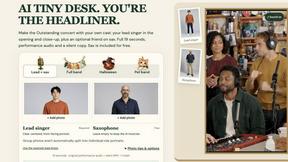
AI Tiny Desk
Make a 19-second desk-concert video with lead and sax, full band, Halloween or pet-band modes; audio and silent MP4.

VD6S
VD6S is a free YouTube video downloader that supports HD, 4K and up to 8K downloads when available. Save videos in MP4 or audio in multiple formats.
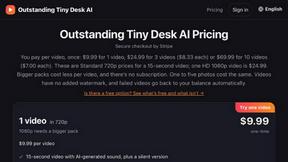
Outstanding Tiny Desk AI
Upload photos of you and up to 4 friends and get a 15-second Outstanding Tiny Desk AI video with AI-generated sound, in 9:16 for TikTok and Reels.

Tip Toeing in My Jordans
Upload a photo and get a 12-second Tip Toeing in My Jordans video: you play the AI Rumpelstiltskin, a friend can play the woman in the hay.
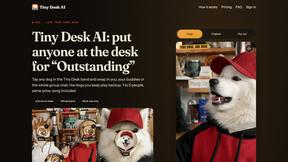
Tiny Desk AI
Put yourself or your friends in the viral Outstanding Tiny Desk video. Swap any of the 5 band members, song included. $9.98 for 1 to 5 people.
JevModel
Run the Jev decision model in your browser: 3 live runs without signup, then 100,000 free tokens, plus a Jev API.
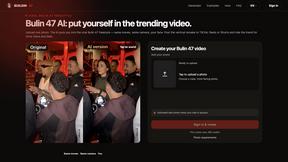
Bulin 47 Viral Video AI
Upload one photo and put yourself in the viral Bulin 47 freestyle dance video.
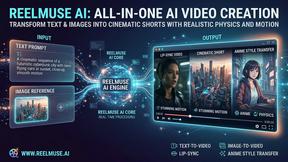
GenX
All-in-one AI workspace to generate images, videos, and audio with multiple leading AI models.


Bloom
An adaptive AI tutor that turns topics or your materials into courses, lessons, and answers tailored to how you learn.

AppIconGenerator
Generate iOS and Android app icons from any image. Preview and export all platform sizes for free.

AI Rap Video Maker
Turn a photo into a rap performance — a silent stage clip or an original 10–15s rap video with your own lyrics, beat style and voice direction.

Dola AI
Create AI videos from text or images with Dola AI. Free starter credits, multiple video models, instant downloads, plus AI image generation.

Nano AI
Create and edit AI images, generate videos, and compare models in one creative workbench.

LightScreen
Free light screen tool online. Turn any display into a flashlight, ambient light, or solid-color screen. No download or sign-up.
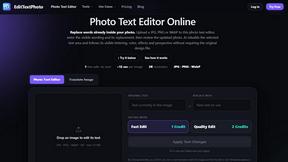
EditTextPhoto
AI-powered image text editor to edit, replace, fix, or translate text in images while preserving the original font, color, size, and style.

About Seedance 2.5 AI Alternatives
Seedance 2.5 AI is a specialized video generation workspace that operates within the broader category of AI-powered content creation and design tools. It functions as a focused platform built around the Seedance 2.0 engine while actively tracking the development of the 2.5 release, offering users a streamlined environment for producing video content from text prompts, images, and reference materials. Users commonly seek alternatives to Seedance 2.5 AI for several practical reasons, including the need for different pricing structures that better fit their budget, a desire for more extensive video editing features beyond generation, or platform-specific requirements such as native mobile applications or integrations with existing creative workflows. Additionally, some users may find that the tool’s focus on a specific version tracking model does not align with their need for a more generalized or multi-model video generation platform. When evaluating alternatives to Seedance 2.5 AI, it is essential to consider several key factors to ensure the chosen solution meets your specific needs. First, assess the output quality and variety of video modes available, as different tools offer varying levels of fidelity, style control, and resolution options across text-to-video, image-to-video, and reference-to-video workflows. Second, examine the pricing tiers and usage limits, looking for a plan that balances cost with the volume and complexity of videos you intend to produce. Third, consider the ease of use and the sophistication of the interface, as a tool that is too complex or too simplistic can hinder productivity. Finally, evaluate the availability of native audio support, the ability to export in your preferred formats, and the overall stability and speed of the generation process to ensure a smooth and efficient creative experience.
FAQs about Seedance 2.5 AI Alternatives
What is Seedance 2.5 AI?
Seedance 2.5 AI is a specialized video generation workspace that centers on the Seedance 2.0 engine while actively tracking the development of the Seedance 2.5 release. It provides users with nine distinct video modes across text-to-video, image-to-video, and reference-to-video workflows, all within a focused and streamlined environment. The platform is designed for users who need a dedicated tool for generating video content from various input types without the distractions of a broader creative suite.
Who is Seedance 2.5 AI for?
Seedance 2.5 AI is designed for content creators, video editors, marketers, and designers who require a dedicated and efficient tool for generating video content from text, images, or reference materials. It is particularly suited for users who want to leverage the specific capabilities of the Seedance 2.0 engine while staying informed about the upcoming 2.5 version features. Professionals who need a streamlined workflow with native audio support and tiered performance options will also find this tool valuable.
What are the main features of Seedance 2.5 AI?
Seedance 2.5 AI offers nine video generation modes that operate across text-to-video, image-to-video, and reference-to-video workflows, providing flexibility in how users create content. It includes three performance tiers: Mini, Fast, and Standard, allowing users to balance generation speed and quality based on their project needs. Additionally, the platform supports native audio generation, enabling users to produce videos with synchronized sound without relying on external tools.
Is Seedance 2.5 AI secure?
While specific security certifications are not detailed in the provided content, Seedance 2.5 AI is built as a professional-grade workspace, which typically implies standard data protection measures such as encrypted data transmission and secure user authentication. Users should review the platform’s privacy policy and terms of service for detailed information on data handling, storage, and usage practices. As with any cloud-based creative tool, it is recommended to avoid uploading sensitive or proprietary content if security protocols are not explicitly confirmed.