

Alternatives to Vivideo
Vivideo is a free AI video generator that turns text and images into professional videos up to 10 minutes long using over 30 top models with no.
Explore 20 alternatives to Vivideo. Compare features, pricing, and find the best fit for your needs.

Bulin 47 Viral Video AI
Upload one photo and put yourself in the viral Bulin 47 freestyle dance video.
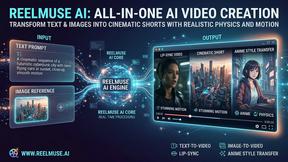

GenX
All-in-one AI workspace to generate images, videos, and audio with multiple leading AI models.

AI Rap Video Maker
Turn a photo into a rap performance — a silent stage clip or an original 10–15s rap video with your own lyrics, beat style and voice direction.

Dola AI
Create AI videos from text or images with Dola AI. Free starter credits, multiple video models, instant downloads, plus AI image generation.
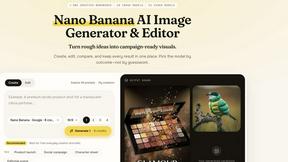
Nano AI
Create and edit AI images, generate videos, and compare models in one creative workbench.
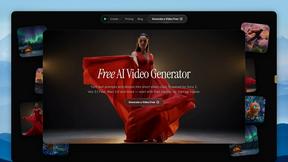
FreeVideoGenerator
Free AI video generator: turn text prompts and photos into video clips with Sora 2, Veo 3.1, Wan and more. Free starter credits, no watermark download
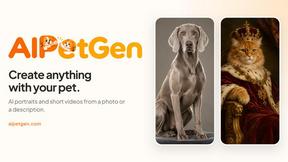

Slide-Easy
A Mac app that turns your App Store link into a week of Instagram Reels and carousels, written from your real reviews.
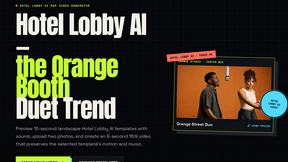


DX Builder
Turn one selfie into cinematic AI videos — trailers, ads, stories and music videos. 217 presets, 8 languages. Start free.

Video2URL
Turn videos, images, PDFs, and files into shareable links with fast uploads and privacy-friendly controls.
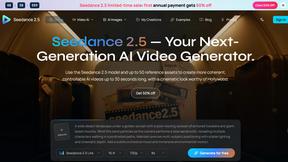
Seedance 2.5 AI Video Generator
Seedance 2.5 is a multimodal AI video generator for cinematic 30-second videos with high-fidelity reference control and AI video editing.
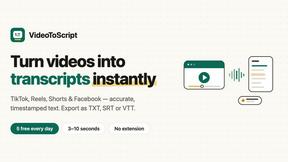
VideoToScript
Turn TikTok, Reels, Shorts, Facebook videos, audio, and video into accurate timestamped transcripts with TXT, SRT, and VTT exports.

PerchanceAI
PerchanceAI is an AI creative studio for image generation, editing, background removal, product photos, and image-to-video creation.
About Vivideo Alternatives
Vivideo is an advanced AI video generator that belongs to the rapidly growing category of AI-powered video creation tools. It enables users to transform text prompts, scripts, articles, or uploaded images into complete, engaging videos with automated visuals, voiceovers, subtitles, music, and transitions. While Vivideo offers a streamlined solution for producing content for social media platforms like TikTok, Instagram Reels, and YouTube Shorts, users commonly seek alternatives due to specific needs such as more flexible pricing models, access to different AI video models, a larger library of stock assets, or the need for advanced customization features like manual keyframing or multi-track editing. Others may require better support for longer-form content, specific aspect ratios for professional campaigns, or integration with their existing workflow tools. When evaluating an alternative to Vivideo, it is essential to consider the core capabilities that match your primary use case. Look for platforms that offer both text-to-video and image-to-video generation, support for multiple AI video models to ensure quality and style variety, and a robust library of stock footage, music, and voiceover options. Key factors include the ease of the editing workflow, the availability of multilingual voiceovers and automatic captions, export resolution options (including HD and 4K), and the ability to customize aspect ratios for different platforms. Additionally, assess pricing transparency, whether the platform offers a free tier or trial, and how well it scales with your content volume and team size. Prioritizing these criteria will help you find a solution that fits your creative and budgetary requirements without sacrificing production quality.
FAQs about Vivideo Alternatives
What is Vivideo?
Vivideo is an advanced AI video generator that allows creators, marketers, businesses, and educators to turn text or images into high-quality videos quickly. It automates the production of visuals, voiceovers, subtitles, music, and transitions, making professional video creation accessible to everyone. The platform supports both text-to-video and image-to-video workflows, leveraging multiple AI video models and millions of stock assets.
Who is Vivideo for?
Vivideo is designed for a wide range of users including content creators, digital marketers, business owners, and educators. It is particularly useful for those who need to produce engaging short-form videos for platforms like TikTok, Instagram Reels, and YouTube Shorts, as well as marketing campaigns, product promotions, tutorials, and training materials. The tool aims to simplify video production for users with little to no editing experience.
Is Vivideo free?
The provided content does not specify a free tier or pricing structure for Vivideo. However, like many AI video platforms, it may offer a limited free trial or a freemium model with basic features, while full access to HD/4K exports, premium stock assets, and advanced AI models typically requires a paid subscription. Users should check the official Vivideo website for the most current pricing and plan details.
What are the main features of Vivideo?
Vivideo includes text-to-video and image-to-video generation, automatic creation of visuals, voiceovers, subtitles, music, and transitions. It supports multilingual AI voiceovers, automatic captions, customizable aspect ratios, and exports up to HD and 4K resolution. The platform also offers an intuitive editing workflow and is powered by multiple AI video models alongside a library of millions of stock assets.