

Alternatives to Voor AI
Voor AI is a unified studio that lets you generate production-quality images, videos, and audio from a single prompt in seconds.
Explore 20 alternatives to Voor AI. Compare features, pricing, and find the best fit for your needs.

99x Prompts | 50k+ AI Prompts
Discover 50,000+ ready-to-use AI prompts for text, image, and video generation. Save time and create better results with AI.



Chatit Me - Free Random Chat Alternative
Chat with random strangers online for free on ChatIt.me. Enjoy safe, anonymous, and instant 1-on-1 conversations with people worldwide
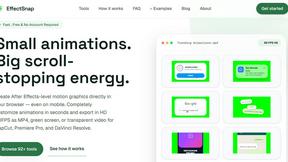
EffectSnap
For creators and marketers: Free browser-based animation generator creating After Effects-quality motion graphics, chat bubbles, and video overlays in
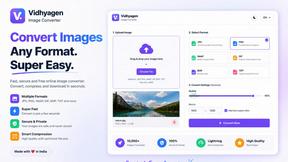
VidhyaGen
Fast, free, and privacy-first browser tool to convert, crop, resize, and compress images locally without server uploads.

ContextBolt SEO
Research keywords, competitors, backlinks and AI visibility in Claude or Codex. Keep the findings in your SEO dashboard.


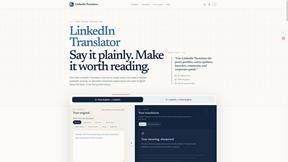
LinkedIn Translator
Turn rough notes into credible LinkedIn writing or decode professional jargon.

Presentation Intelligence
AI-native presentation and visual content platform that turns prompts, documents, images, videos, and data into polished, shareable decks.

DX Builder
Turn one selfie into cinematic AI videos — trailers, ads, stories and music videos. 217 presets, 8 languages. Start free.

SnapPChart
SnapPChart grades a trading chart screenshot A+ to F, with an entry, stop, targets, and risk/reward. Works on stocks, forex, crypto, futures.

CachePlex
CachePlex is an all-in-one suite of 22+ professional web tools. From SEO audits and image compression to AI writing, get everything in one free place.
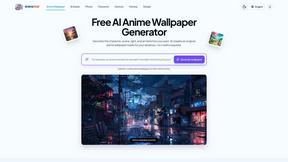
AnimeWall
Free AI anime wallpaper generator. Create original HD anime wallpapers and avatars from text prompts.

Video2URL
Turn videos, images, PDFs, and files into shareable links with fast uploads and privacy-friendly controls.

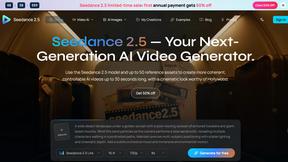
Seedance 2.5 AI Video Generator
Seedance 2.5 is a multimodal AI video generator for cinematic 30-second videos with high-fidelity reference control and AI video editing.
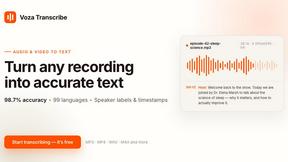
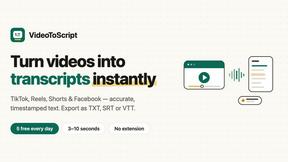
VideoToScript
Turn TikTok, Reels, Shorts, Facebook videos, audio, and video into accurate timestamped transcripts with TXT, SRT, and VTT exports.
About Voor AI Alternatives
Voor AI is a unified, browser-based creation platform that consolidates the best AI image and video models into a single workspace. It falls under the categories of AI Assistants, Content Creation, Design Tools, and Video, allowing users to generate text-to-video, image-to-video, text-to-image, and audio outputs, along with editing tools and workflows, all while utilizing shared credits. Users commonly look for alternatives to Voor AI due to specific needs such as budget constraints, a desire for more granular control over model selection, or requirements for specialized features like advanced compositing or higher resolution outputs that a single platform may not fully address. When choosing an alternative, it is essential to evaluate the breadth of modalities offered, ensuring the platform supports the specific types of media you need, such as video, image, or audio generation. Additionally, consider the pricing structure, particularly whether it uses a credit system or a subscription model, and whether it offers a free tier or trial for testing. Look for platforms with intuitive workflows, strong security protocols, and a community or support system that aligns with your team’s collaboration needs, as these factors directly impact productivity and output quality.
FAQs about Voor AI Alternatives
What is Voor AI?
Voor AI is a unified, browser-based creation platform that integrates the best AI image and video models into a single secure workspace. It enables users to generate content across multiple modalities, including text-to-video, image-to-video, text-to-image, and audio, all from one prompt. The platform also includes editing tools, workflows, and shared credits, allowing for production-quality outputs in seconds.
Who is Voor AI for?
Voor AI is designed for content creators, designers, video producers, and marketing teams who need to generate high-quality visual and audio assets efficiently. It is ideal for professionals who require a unified tool for both image and video generation without switching between different software. The platform’s shared credits and workflow features also make it suitable for collaborative teams working in a secure, browser-based environment.
Is Voor AI free?
The provided content does not specify whether Voor AI offers a free tier or trial, but it does mention a shared credits system, which suggests a usage-based or subscription model. Typically, platforms like Voor AI may offer a limited free version or a trial period to allow users to test features before committing. For exact pricing details, users should refer to the official Voor AI website or documentation.
What are the main features of Voor AI?
Voor AI’s main features include text-to-video, image-to-video, text-to-image, and audio generation, all accessible through a single prompt. The platform also provides editing tools, customizable workflows, and shared credits within a secure workspace. It supports production-quality outputs in seconds, making it a comprehensive solution for both image and video creation without the need for multiple applications.