
BoltShot
BoltShot is a fast API that transforms any URL into high-quality screenshots with customizable features, perfect for developers and marketers.
Visit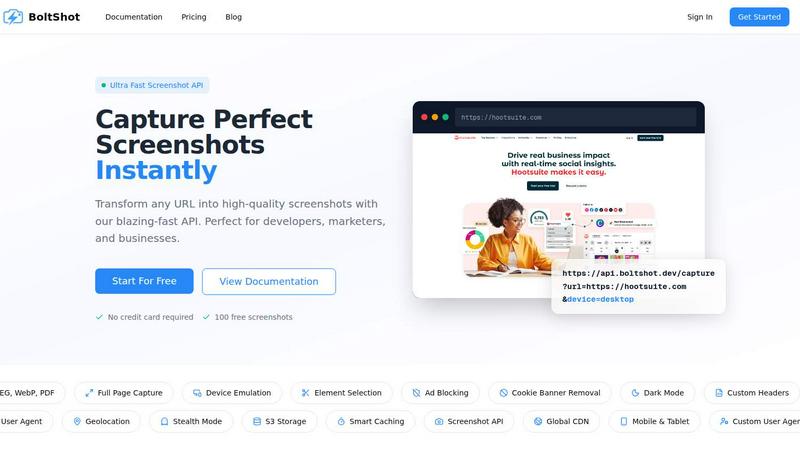
About BoltShot
BoltShot is an advanced website screenshot API designed to transform any URL into high-quality screenshots quickly and efficiently. This powerful tool caters to the needs of developers, marketers, and businesses by providing a seamless way to generate images in various formats, including PNG, JPEG, WebP, and PDF. With its user-friendly API, BoltShot allows for full-page captures, device emulation across mobile, tablet, and desktop, and custom viewport settings for tailored rendering. The platform stands out by enabling users to capture specific page elements using CSS selectors, while built-in features such as ad blocking, cookie banner removal, and smart caching enhance the quality of the outputs. By eliminating the need for complex browser management and infrastructure, BoltShot streamlines workflows for e-commerce previews, automated reporting, web archiving, compliance monitoring, and much more, making it an essential tool for any organization focused on leveraging web content efficiently.
Features of BoltShot
Ultra-Fast API
BoltShot's API is designed for speed and efficiency, enabling users to capture perfect screenshots almost instantly. The API supports multiple image formats including PNG, JPEG, WebP, and PDF, providing flexibility for different use cases. Whether for web scraping, documentation, or marketing materials, BoltShot delivers high-quality outputs without delay.
Full-Page Capture
The full-page capture feature allows users to take screenshots of entire web pages, even those that extend beyond the visible viewport. This is particularly useful for archiving content or creating previews of long articles, ensuring that nothing is missed and providing a comprehensive view of the webpage.
Element Targeting
With the element targeting capability, users can specify CSS selectors to capture only the desired elements of a webpage. This feature is crucial for generating focused screenshots, such as specific product images or UI components, while avoiding unnecessary clutter in the final output.
Clean Capture
BoltShot automatically removes distractions from screenshots, such as ads, cookie banners, and popups, ensuring that the captured images are clean and professional. This enhances the quality of presentations and reports, allowing users to focus on the essential content without visual noise.
Use Cases of BoltShot
E-commerce Previews
Businesses can utilize BoltShot to generate dynamic previews of their product pages, enhancing customer engagement. By capturing high-quality images of products in various formats, e-commerce sites can improve their marketing strategies and provide better visual content for their users.
Automated Reporting
Marketers and analysts can automate the process of capturing website data for reporting purposes. With BoltShot, users can quickly generate screenshots for performance reports, competitor analysis, or social media content, saving valuable time and resources.
Web Archiving
BoltShot's capabilities are ideal for web archiving projects, allowing organizations to create visual records of web content over time. By capturing complete pages and specific elements, users can preserve important information that may change or be lost in the future.
Compliance Monitoring
With BoltShot, companies can easily monitor their websites for compliance with legal and regulatory standards. The ability to capture clean screenshots of web pages ensures that organizations can document their online presence and adhere to guidelines without hassle.
Frequently Asked Questions
How does BoltShot handle image formats?
BoltShot supports multiple image formats, including PNG, JPEG, WebP, and PDF, allowing users to choose the best format for their specific needs. This flexibility enhances usability across various platforms and applications.
Can I capture specific elements on a webpage?
Yes, BoltShot allows users to capture specific page elements using CSS selectors. This feature provides the capability to focus on particular sections of a webpage, ensuring that only the relevant content is included in the screenshot.
Is there support for mobile and desktop emulation?
Absolutely. BoltShot includes device emulation features that support mobile, tablet, and desktop viewports. Users can select the desired device type to see how their website appears across different platforms.
How does BoltShot ensure clean screenshots?
BoltShot utilizes built-in features like ad blocking, cookie banner removal, and popup elimination to produce clean screenshots. This ensures that the captured images are free from distractions, making them more professional and visually appealing.
Similar to BoltShot

From first scene to published 2D game, no code

The #1 Native Form Builder Plugin for Framer - No Code, No Embeds, No External Platforms.

Chat with random strangers online for free on ChatIt.me. Enjoy safe, anonymous, and instant 1-on-1 conversations with people worldwide

Fast, free, and privacy-first browser tool to convert, crop, resize, and compress images locally without server uploads.

A free launch checklist for SaaS, apps, AI tools and more. Every step says why it matters and when you can skip it.

ToolVerified is a hand-curated directory for discovering the best new software. We ban paid ads so you can find apps ranked purely by user upvotes.


CachePlex is an all-in-one suite of 22+ professional web tools. From SEO audits and image compression to AI writing, get everything in one free place.