
ChatGPT Image 2
ChatGPT Image 2 is a versatile AI platform for seamless image editing, generation, and video creation, now at 50% off for a limited time.
Visit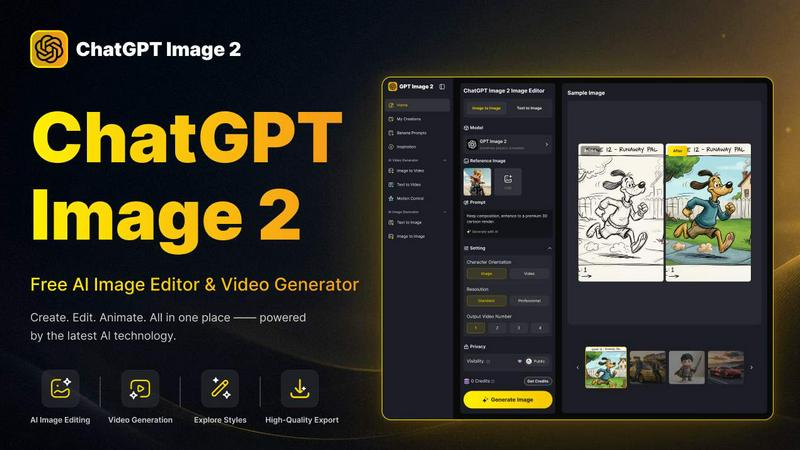
About ChatGPT Image 2
ChatGPT Image 2 is a revolutionary free AI image and video generator tailored for creators, marketers, designers, and anyone in need of high-quality visual content without the complexities of traditional workflows. This platform empowers users to transform text prompts into stunning images, edit visual details, and evolve concepts into polished image or video content seamlessly. With its intuitive interface, users can effortlessly generate a wide array of visuals including artwork, social media graphics, product imagery, marketing assets, character designs, and dynamic videos. The streamlined process allows creators to transition smoothly from text to image, image to image, and image to video, eliminating the need for multiple tools. Whether seeking quick inspiration or aiming for in-depth content production, ChatGPT Image 2 stands as a versatile solution for crafting realistic images, exploring diverse art styles, enhancing existing photos, or animating visuals into engaging short videos.
Features of ChatGPT Image 2
AI Image Generation
ChatGPT Image 2 allows users to generate images from text prompts, facilitating creativity by turning ideas into visual realities. This feature is ideal for those looking to quickly produce unique visuals tailored to specific needs, whether for personal projects or professional campaigns.
Advanced Image Editing
The platform offers a comprehensive set of editing tools that enable users to restyle, modify scenes, and enhance their visuals. With capabilities such as smart scene replacement and fine-grained editing options, ChatGPT Image 2 provides a powerful editing experience, ensuring that users can refine their images to perfection.
Video Generation
Users can transform their static images into dynamic video content with the integrated video generation feature. This allows for the creation of engaging short videos that can be utilized in marketing, social media, or any platform requiring visual storytelling, simplifying the content creation process significantly.
Near-Perfect Text Rendering
ChatGPT Image 2 excels in rendering text within images, ensuring clarity and professionalism. This feature is particularly beneficial for marketing posters and UI designs, where precise text integration is crucial for effective communication and branding.
Use Cases of ChatGPT Image 2
Marketing Campaigns
Marketers can leverage ChatGPT Image 2 to create compelling visuals for their campaigns. From social media posts to email newsletters, the tool helps generate eye-catching images and videos that enhance engagement and drive conversions.
Content Creation for Social Media
Content creators can utilize the platform to quickly produce high-quality images and videos tailored for various social media platforms. The ease of generating visually appealing content allows for a more dynamic and engaging online presence.
Product Visualization
Businesses can use ChatGPT Image 2 to design product images and marketing materials. The ability to create visually striking assets can significantly impact product presentation and consumer interest, leading to better sales outcomes.
Educational Content Development
Educators and content developers can harness the power of ChatGPT Image 2 to create realistic visuals for educational materials. Whether it’s for presentations, online courses, or instructional videos, the tool enables the creation of engaging and informative visual content.
Frequently Asked Questions
How does ChatGPT Image 2 generate images?
ChatGPT Image 2 utilizes advanced AI algorithms to interpret text prompts and generate corresponding images. Users input descriptive text, and the AI processes this information to create unique visual content.
Can I edit images after generating them?
Yes, ChatGPT Image 2 offers robust editing features that allow users to modify and enhance their generated images. You can restyle visuals, swap elements, and apply various effects seamlessly.
Is there a limit to how many images I can create?
While ChatGPT Image 2 is free to use, there may be certain limits on daily image generation depending on the platform's usage policies. Users are encouraged to check the specific guidelines for any restrictions.
What formats are supported for image uploads?
ChatGPT Image 2 supports multiple image formats for uploads, including JPG, PNG, and WEBP files, with a maximum size of 10MB. This flexibility allows users to work with various visual assets easily.
Explore more in this category:
Similar to ChatGPT Image 2

For creators and marketers: Free browser-based animation generator creating After Effects-quality motion graphics, chat bubbles, and video overlays in

Turn rough notes into credible LinkedIn writing or decode professional jargon.

Turn one selfie into cinematic AI videos — trailers, ads, stories and music videos. 217 presets, 8 languages. Start free.

Seedance 2.5 is a multimodal AI video generator for cinematic 30-second videos with high-fidelity reference control and AI video editing.

Turn TikTok, Reels, Shorts, Facebook videos, audio, and video into accurate timestamped transcripts with TXT, SRT, and VTT exports.

Create AI videos, images, avatars, and audio in one creative workspace.


AI UGC video ad Generator which Turn a URL, prompt, or template into a ready video ads