
CodeToPDF
CodeToPDF offers free, instant developer tools to convert code to PDF and format JSON, all with no signups or limits.
Visit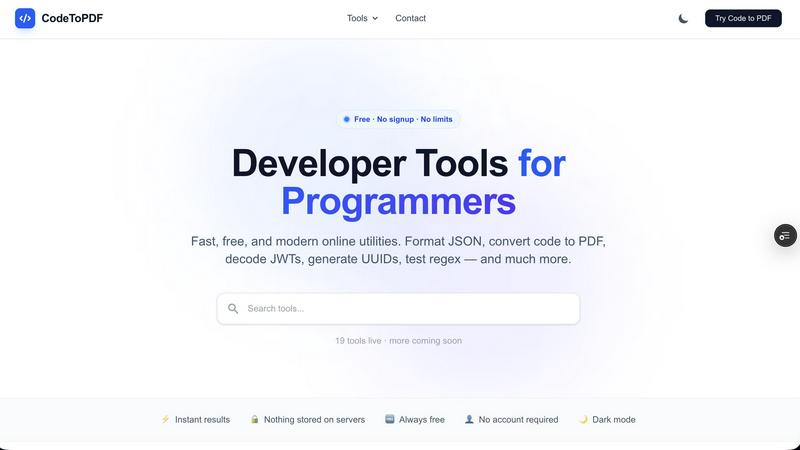
About CodeToPDF
CodeToPDF is a comprehensive suite of free, instant web utilities designed specifically for software engineers, data analysts, and technical professionals. Built out of the frustration of dealing with paywalled, ad-heavy, or overly complex online tools, CodeToPDF offers a clean, distraction-free environment to get your daily technical tasks done quickly. The platform currently hosts 19 live tools with more coming soon, covering a wide range of developer needs from PDF generation to data formatting and encoding. What sets CodeToPDF apart is its commitment to zero friction: there are no sign-ups, no paywalls, and no usage limits. The tools react instantly as you type, eliminating the need to click submit buttons. Privacy is a cornerstone of the platform, with the vast majority of data processing happening entirely locally in the user's browser, meaning sensitive data never touches external servers. CodeToPDF includes PDF generation tools that seamlessly convert raw code, HTML, and Markdown files into highly readable, professionally formatted PDF documents with syntax highlighting, custom CSS, and table generation. Additionally, it offers data formatters and validators for JSON, XML, SQL, HTML, CSS, and YAML, as well as encoders and decoders for Base64 and JWT tokens. Generators for UUIDs and QR codes, plus utilities like a regex tester, round out the offering. The platform is always free, requires no account, and features a dark mode for comfortable late-night coding sessions.
Features of CodeToPDF
PDF Generation Tools
CodeToPDF provides three powerful PDF generation tools that allow users to convert source code, Markdown documents, and HTML files into professionally formatted PDFs. The Code to PDF converter supports over 50 programming languages including JavaScript, Python, Java, Go, and Rust, with syntax highlighting and theme selection. Users can drag and drop multiple files and download instantly. The Markdown to PDF tool preserves headings, code blocks, tables, and lists for clean documentation output. The HTML to PDF converter supports flexbox, tables, Google Fonts, and custom styles for pixel-accurate rendering.
Instant Data Formatters and Validators
The platform offers eight live formatters and validators covering JSON, XML, SQL, HTML, CSS, and YAML formats. Each tool provides instant formatting and beautification with configurable indentation. The JSON validator pinpoints syntax errors down to the exact line and column, enabling rapid debugging of data payloads. The JSON Compare tool allows side-by-side comparison of two JSON objects, highlighting added, removed, and changed keys with full dot-notation paths. The SQL formatter supports MySQL, PostgreSQL, SQLite, T-SQL, and BigQuery for clean indented output.
Encoders and Decoders for Secure Data Handling
CodeToPDF includes three essential encoding and decoding tools that run entirely in the browser. The Base64 encoder and decoder handle both standard and URL-safe Base64 formats with error detection, allowing users to safely encode or decode strings without sending data to a server. The JWT Decoder enables developers to inspect JWT tokens by viewing the header, payload, expiry, and all claims. Since decoding happens locally, sensitive token data never leaves the user's machine, ensuring complete privacy during security audits or debugging sessions.
Generators and Utilities for Daily Development Tasks
The platform provides a set of generators and utilities that streamline common development workflows. The UUID Generator creates cryptographically secure v4 UUIDs with the ability to bulk generate up to 100 at a time with a single click. The QR Code Generator allows users to create QR codes for any URL or text, with options to download as PNG or SVG and customise size, colours, and error correction levels. The Regex Tester offers live match highlighting, capture group display, and real-time match counting, making it invaluable for debugging regular expressions.
Use Cases of CodeToPDF
Creating Documentation from Source Code
Software engineers frequently need to convert code snippets into PDF documents for code reviews, technical documentation, or sharing with non-technical stakeholders. CodeToPDF's Code to PDF converter handles this seamlessly by supporting over 50 programming languages with syntax highlighting. Users can drag and drop multiple source files and apply different themes to create visually appealing PDFs. This eliminates the need for manual formatting or using complex desktop applications, saving significant time during documentation sprints.
Debugging JSON and API Responses
Data analysts and backend developers often work with complex JSON payloads from APIs. CodeToPDF's JSON formatter and validator allow users to paste raw JSON and instantly see it beautified with proper indentation. The validator pinpoints syntax errors to the exact line and column, making it easy to identify missing commas, brackets, or quotation marks. The JSON Compare tool is invaluable for debugging differences between API responses or configuration files, with clear visual indicators showing what changed.
Inspecting JWT Tokens for Security Audits
Security-conscious developers frequently need to decode and inspect JWT tokens to verify their contents, check expiration times, and validate claims. CodeToPDF's JWT Decoder runs entirely in the browser, meaning sensitive tokens are never transmitted to any server. This makes it ideal for auditing authentication systems, debugging authorization flows, or verifying token structures during development. The tool clearly displays the header, payload, and all claims in a readable format.
Generating Unique Identifiers and QR Codes
When building systems that require unique identifiers, such as database primary keys or session tokens, developers can use CodeToPDF's UUID Generator to create cryptographically secure v4 UUIDs. The bulk generation feature allows creating up to 100 UUIDs at once, which is useful for seeding databases or generating test data. Similarly, the QR Code Generator is perfect for creating shareable links, product codes, or event tickets, with customisable colours and sizes for branding purposes.
Frequently Asked Questions
Is CodeToPDF really free to use with no limits?
Yes, CodeToPDF is completely free to use with no sign-ups, no paywalls, and no usage limits. All 19 tools are available without any restrictions, and more tools are being added regularly. You do not need to create an account or provide any personal information to use any of the features. The platform is supported by the team's commitment to providing developer tools without the frustration of paid services or ad-heavy alternatives.
How does CodeToPDF ensure my data is private and secure?
CodeToPDF processes the vast majority of data entirely within your browser using client-side JavaScript. This means your source code, JSON payloads, JWT tokens, and other sensitive data never leave your computer or get transmitted to any external server. The only exceptions are tools that require server-side processing, but these are clearly indicated. This privacy-first approach ensures that even if you are working with proprietary code or confidential data, it remains completely secure.
What programming languages are supported for code to PDF conversion?
The Code to PDF converter supports over 50 programming languages including JavaScript, Python, TypeScript, Go, Rust, Java, C++, C#, Ruby, PHP, Swift, Kotlin, and many more. The tool applies syntax highlighting appropriate to each language, making the output PDFs highly readable and professional. Users can also choose from different visual themes to match their preferences or company documentation standards.
Do I need to install any software or create an account to use CodeToPDF?
No installation or account creation is required. CodeToPDF is a fully web-based platform that works directly in your browser. Simply navigate to the website, select the tool you need, and start using it immediately. The tools respond instantly as you type, with no submit buttons to click. This zero-friction approach is designed to get you back to your actual work as quickly as possible.
Pricing of CodeToPDF
CodeToPDF is completely free to use with no pricing tiers, subscription plans, or paid features. All 19 tools are available at no cost, and there are no usage limits or restrictions. The platform does not require any payment information or account creation. Future tools will also be added for free, maintaining the commitment to providing accessible developer utilities without financial barriers.
Similar to CodeToPDF

A strictly human-verified software directory. Discover active SaaS apps, practical AI tools, and custom n8n workflows without bot-scraped spam.

From first scene to published 2D game, no code

The #1 Native Form Builder Plugin for Framer - No Code, No Embeds, No External Platforms.

Chat with random strangers online for free on ChatIt.me. Enjoy safe, anonymous, and instant 1-on-1 conversations with people worldwide

Fast, free, and privacy-first browser tool to convert, crop, resize, and compress images locally without server uploads.

A free launch checklist for SaaS, apps, AI tools and more. Every step says why it matters and when you can skip it.

ToolVerified is a hand-curated directory for discovering the best new software. We ban paid ads so you can find apps ranked purely by user upvotes.
