
Hold Your Voice
Hold Your Voice detects and fixes AI writing drift, instantly rewriting drafts to match your unique style with one click.
Visit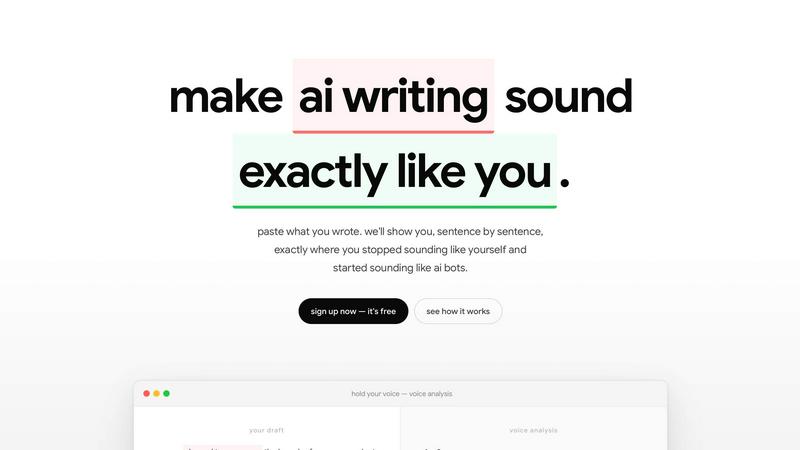
About Hold Your Voice
Hold Your Voice is an innovative software tool designed to help writers maintain their unique voice across various forms of content. By analyzing previously published work such as blog posts, newsletters, and documents, it creates a personalized voice profile that serves as a benchmark for your writing style. The tool scores new drafts against this profile, providing valuable insights into voice consistency. It highlights sentences where your voice has drifted and suggests rewrites to bring the copy back in line with your authentic style. Hold Your Voice is particularly beneficial for founders, newsletter writers, content teams, and anyone who publishes regularly and wants to ensure their writing consistently reflects their true voice. It also identifies AI-like patterns that can make content feel generic, ensuring that your work remains distinctively yours. The tool addresses a common problem: you know when your writing feels off, but you cannot always say why. Voice drift is quiet and often goes unnoticed until after publication. With Hold Your Voice, you can write confidently, knowing that your voice is preserved and your audience can connect with you authentically. The tool works for solo creators and teams, offering sentence-level feedback, voice drift tracking over time, and collaboration features like sharing, commenting, and editing.
Features of Hold Your Voice
Voice Calibration
The calibration process takes approximately three minutes. You answer five simple questions and upload two to three pieces of writing that represent your best work. Hold Your Voice then builds a comprehensive voice profile from your actual writing samples. This profile serves as the benchmark against which all future drafts are measured. There are no lengthy onboarding calls or complex brand audits required. The system learns directly from your existing content, capturing your unique phrasing, tone, sentence structure, and vocabulary preferences.
Signal Engine Analysis
Once your voice profile is established, you can paste any type of content for analysis. This includes LinkedIn posts, newsletter introductions, product pages, pitches, or full-length articles. The signal engine reads your draft against your voice profile and scores the match across six distinct dimensions. The score is presented as a clear percentage, such as 61 out of 100. The tool provides specific, actionable feedback on each sentence, identifying where your voice has drifted and why. For example, it might flag a phrase like "pleased to announce" as a press release style you never use.
One-Click Rewrites
Every flagged sentence in your draft comes with a suggested rewrite that matches your authentic voice. You can select any individual line, hit the rewrite button, and instantly receive a version that aligns with your voice profile. Alternatively, you can fix all flagged sentences at once with a single action. The rewrites are not generic; they are tailored to your specific writing style based on the voice profile you established during calibration. This feature saves significant editing time and ensures consistency across all your published content.
Voice Drift Tracking
Hold Your Voice logs every review you perform. Your history shows you which mistakes you make repeatedly over time. The tool learns your specific drift patterns, such as tendencies toward formality, vagueness, or AI-like phrasing. This tracking allows you to see your progress as you improve your writing consistency. The system displays your voice match scores over time, showing a clear trajectory of improvement. For example, you might see scores progress from 58 to 67 to 79 to 91 as you internalize your own voice patterns.
Use Cases of Hold Your Voice
Solo Founder Publishing Content
Founders who publish regularly need to maintain a consistent personal brand across blog posts, newsletters, and social media. When deadlines are tight, voice drift can make content feel corporate or generic. Hold Your Voice helps founders catch these drifts before publication. The tool ensures that every piece of content reflects the founder's authentic voice, building trust with readers and strengthening the personal brand. The one-click rewrite feature is particularly valuable for busy founders who need to publish quickly without sacrificing authenticity.
Newsletter Writer Maintaining Consistency
Newsletter writers often produce content weekly or even daily. Maintaining a consistent voice across hundreds of editions is challenging. Voice drift can cause subscribers to feel disconnected from the writer. Hold Your Voice allows newsletter writers to calibrate their voice profile once and then analyze each new edition before sending. The sentence-level feedback highlights specific areas where the writing has drifted. The voice drift tracking feature shows writers their most common mistakes, helping them improve their writing over time.
Content Teams Collaborating on Brand Voice
Content teams with multiple writers need to ensure that all published content sounds like it comes from the same brand. When hiring freelance writers or delegating tasks, maintaining voice consistency is a major challenge. Hold Your Voice allows teams to create a single voice profile that all writers can use as a benchmark. Writers can paste their drafts into the tool, get scored against the brand voice, and receive rewrite suggestions. The collaboration features allow team members to share drafts, comment on specific sentences, and edit without overwriting each other's work.
Using AI Writing Tools Without Losing Authenticity
Many writers use AI tools to speed up their workflow, but AI-generated content often sounds generic and can erode reader trust. Google may filter out AI-like content, and LinkedIn reach can drop. Hold Your Voice helps writers use AI more effectively by identifying AI-like patterns in their drafts. The tool flags phrases that sound generated and suggests rewrites that match the writer's authentic voice. This allows writers to leverage AI for efficiency while ensuring the final product sounds distinctly human and personal.
Frequently Asked Questions
How does Hold Your Voice create my voice profile?
The process takes about three minutes. You answer five simple questions about your writing preferences and upload two to three pieces of writing that you feel represent your best work. These samples can be blog posts, newsletters, documents, or any other content you have published. The tool analyzes your actual writing to build a benchmark profile that captures your unique phrasing, tone, sentence structure, vocabulary, and stylistic preferences. There are no lengthy onboarding calls or complex brand audits required.
What types of content can I analyze with Hold Your Voice?
You can analyze virtually any type of written content. This includes LinkedIn posts, newsletter introductions, product pages, sales pitches, blog articles, email campaigns, and full-length documents. Simply paste your draft into the tool, and the signal engine will read it against your voice profile. The tool scores the match across six dimensions and provides sentence-level feedback. This flexibility makes it useful for writers who produce multiple types of content across different platforms.
How does the one-click rewrite feature work?
When you paste a draft for analysis, the tool highlights every sentence where your voice has drifted. Each flagged sentence comes with a suggested rewrite that matches your authentic voice based on your profile. You can select any individual line and click the rewrite button to instantly replace it with the suggested version. Alternatively, you can fix all flagged sentences at once with a single action. The rewrites are not generic; they are specifically tailored to your writing style.
Can I use Hold Your Voice with my team?
Yes, Hold Your Voice is designed for both solo creators and teams. You can create a single voice profile that all team members use as a benchmark. The collaboration features allow you to share drafts as public links with three access modes: private, view-only, or commentable. Readers do not need to sign up to view or comment. Team members can comment on specific sentences and collaborate without stepping on each other's work. This makes it ideal for content teams, agencies, and organizations with multiple writers.
Similar to Hold Your Voice

Free Chrome extension. Paste your rough point and Chrome's built-in AI writes a fresh reply for that post on X, LinkedIn, Facebook or Instagram.

Turn rough notes into credible LinkedIn writing or decode professional jargon.