
ImageToSTL.online
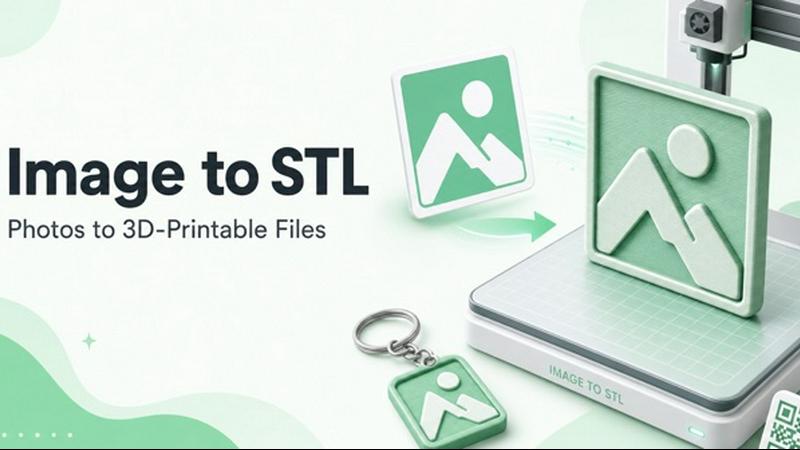
ImageToSTL.online is a free, private browser-based tool that instantly converts PNG and JPG images into watertight STL files for 3D printing.
VisitPublished on:
July 20, 2026
Pricing:
About ImageToSTL.online
ImageToSTL.online is a free, browser-based tool that converts 2D images such as PNG and JPG files into watertight 3D printable STL models in under a second. Designed for makers, hobbyists, and professionals who need a fast and private way to turn pictures into physical objects, this converter eliminates the need for software installation, file uploads to external servers, or user accounts. The entire conversion process runs locally on your device, ensuring that your images never leave your computer. The tool supports multiple input formats including PNG, JPG, WebP, SVG, GIF, and BMP, and offers several specialized modes such as Logo Extrude, Photo Relief, Lithophane, and Keychain. Each mode provides a live 3D preview that updates instantly as you adjust parameters like model width, detail level, smoothing, relief depth, and base thickness. The output is always a watertight binary STL mesh with real-world millimeter units, ready for slicing in software like Bambu Studio, Cura, or PrusaSlicer. ImageToSTL.online is built for anyone who wants to create custom 3D prints from logos, photos, artwork, or QR codes without technical barriers or cost.
Features of ImageToSTL.online
100 Percent On-Device Processing
All image to STL conversions happen entirely within your browser using client-side computation. Your images are never uploaded to any server, which means your data remains private and secure. This also eliminates file size limits and upload wait times, allowing you to process large or sensitive images without concern. The on-device approach ensures that the tool works offline after the initial page load and provides instant feedback as you adjust settings.
Live Preview Rebuilds Under One Second
As you drag sliders to adjust parameters like model width, detail level, smoothing, and relief depth, the 3D preview updates in less than a second. This real-time feedback loop lets you experiment with different settings and immediately see how they affect the final STL mesh. You can rotate, zoom, and inspect the preview from any angle before downloading, ensuring the output matches your expectations before committing to a print.
Watertight Binary STL Output
Every STL file generated by ImageToSTL.online is a closed, watertight mesh with no holes or gaps. This is critical for successful 3D printing because slicers require a manifold model to generate proper toolpaths. The output uses real millimeter units, so the dimensions you set in the converter correspond exactly to the physical size of your printed object. This eliminates the need for post-processing or repair in external software.
Four Specialized Conversion Modes
The tool offers four distinct modes tailored to different use cases. Photo Relief converts brightness to height, making it ideal for photos, artwork, and embossed plaques. Logo Extrude creates a flat base with raised logo geometry for badges and signage. Lithophane generates a thin, translucent model where image darkness controls thickness, perfect for backlit night lights. Keychain mode adds a pre-drilled hole for keyring attachment, suitable for small giveaways and personalized accessories.
Use Cases of ImageToSTL.online
Creating Custom Logo Badges and Brand Merchandise
Businesses and event organizers can use Logo Extrude mode to turn company logos, team emblems, or event graphics into 3D printable badges and keychains. The watertight STL output ensures clean edges and sharp details, while the live preview allows precise adjustment of extrusion height and base thickness. These printed badges are ideal for trade show giveaways, employee recognition items, or branded merchandise that reinforces brand identity.
Producing Photo Relief Wall Art and Plaques
Photographers and artists can convert their favorite images into tactile wall art using Photo Relief mode. By mapping brightness to height, the tool creates a 3D surface that captures the contours and shading of the original photo. This is especially effective for portraits, landscapes, and detailed artwork where depth adds visual interest. The relief can be printed as a standalone piece or mounted on a base for a professional finish.
Making Lithophane Night Lights and Decor
Lithophane mode transforms family photos, scenic images, or intricate designs into thin, translucent panels that reveal their detail when backlit. These are popular as night lights, window decorations, or personalized gifts. The tool calculates thickness based on image darkness, ensuring that lighter areas are thinner and more translucent while darker areas remain thicker. The result is a stunning visual effect that brings photos to life in a new medium.
Designing Custom Keychains and Small Giveaways
Keychain mode streamlines the process of creating personalized accessories by automatically adding a 4mm hole for keyring attachment. This is perfect for small batch production of custom keychains featuring names, initials, logos, or simple graphics. The mode combines the chosen conversion type such as extrude or relief with the pre-defined hole geometry, saving time on manual editing. These keychains print quickly and make excellent personalized gifts or promotional items.
Frequently Asked Questions
Do I need to create an account to use ImageToSTL.online?
No account or signup is required. The tool is completely free to use with no registration, no watermarks, and no file caps. You can convert unlimited images to STL files without providing any personal information. Simply visit the website, drop in your image, adjust the settings, and download your STL.
What image formats are supported for conversion?
ImageToSTL.online supports PNG, JPG, WebP, SVG, GIF, and BMP file formats. You can drag and drop files directly onto the page or paste images from your clipboard using Ctrl+V. The tool also provides sample images for testing each mode, allowing you to explore the functionality before using your own files.
How does the on-device processing ensure privacy?
All computation happens within your browser using JavaScript and WebAssembly. Your images are never transmitted over the internet or stored on any external server. This means you can safely convert sensitive images such as personal photos, proprietary logos, or confidential designs without worrying about data leaks or unauthorized access. The tool works even when you are offline after the initial page load.
Can I adjust the physical dimensions of the output STL?
Yes, you have full control over the model dimensions. The Model Width slider sets the width of the STL in millimeters, and the tool automatically calculates the proportional height based on the image aspect ratio. You can also adjust Detail, Smoothing, Relief Depth, and Base Thickness parameters to fine-tune the mesh quality and overall shape. All dimensions are in real millimeters for accurate printing.
Pricing of ImageToSTL.online
ImageToSTL.online is completely free to use with no hidden costs, no subscription plans, and no premium tiers. There are no file limits, no watermarks on the output STL files, and no requirement to create an account. All features including the four conversion modes, live preview, parameter adjustments, and STL download are available at no charge. The tool is supported as a free resource for the maker community, and there are no plans to introduce paid features. Users can convert unlimited images without any financial commitment.
Similar to ImageToSTL.online


Plan social content, collect client approvals, publish to nine platforms, and report on performance with an AI assistant.

Amazon research data APIs for developers, sellers and AI agents. Integrate product, keyword and market research through REST APIs and MCP.

Apps and files on an infinite canvas where people and AI agents work together.

All-in-one POS, inventory, accounting and HR software for Bangladeshi SMEs — real-time sales, stock and finance in one place.

AI pet image generator with photo-to-pet and free credits

AI meeting notes, transcripts, summaries and action items on iPhone, iPad and Android.

ButterShare is a browser-based peer-to-peer file transfer tool that lets you send large files and folders directly between devices without signup or c