

Alternatives to BlueHumanizer
BlueHumanizer instantly transforms AI-generated text into clear, natural prose with one click, keeping your meaning and tone intact.
Explore 20 alternatives to BlueHumanizer. Compare features, pricing, and find the best fit for your needs.
Noter AI
AI meeting notes, transcripts, summaries and action items on iPhone, iPad and Android.

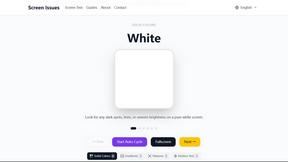
Screen Issues
Free Online Screen Test Tool - Instantly diagnose dead pixels, lines, color issues, and flickering. Multiple test modes, no download needed.
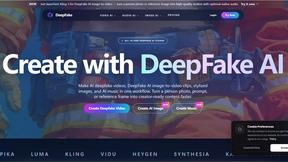
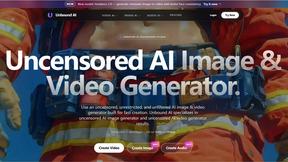



ContextBolt SEO
Research keywords, competitors, backlinks and AI visibility in Claude or Codex. Keep the findings in your SEO dashboard.


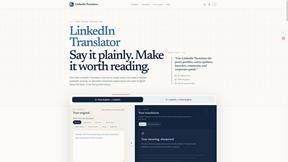
LinkedIn Translator
Turn rough notes into credible LinkedIn writing or decode professional jargon.

SnapPChart
SnapPChart grades a trading chart screenshot A+ to F, with an entry, stop, targets, and risk/reward. Works on stocks, forex, crypto, futures.
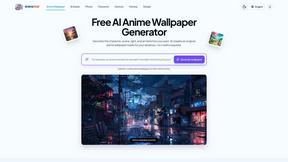
AnimeWall
Free AI anime wallpaper generator. Create original HD anime wallpapers and avatars from text prompts.


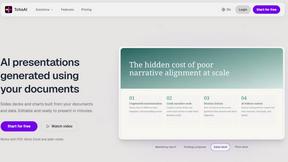
TchoAI
Turn your work into a presentation. Upload a document, paste your notes, or start from a prompt. TchoAI creates clear, editable slides in minutes.


PerchanceAI
PerchanceAI is an AI creative studio for image generation, editing, background removal, product photos, and image-to-video creation.

VideoAny BR
Create AI videos from text or images, generate images and audio in one online studio.
About BlueHumanizer Alternatives
BlueHumanizer is an AI humanizer tool that falls under the category of AI Assistants, specifically designed to refine and naturalize text generated by large language models like ChatGPT, Claude, and Gemini. Its core function is to take robotic or overly polished AI output and rewrite it into clear, natural prose that retains the original meaning, tone, and key points, all while improving flow and sentence structure. Users commonly look for alternatives to BlueHumanizer for a variety of reasons, including the need for more advanced control over the rewriting process, specific platform integrations, higher word limits on free tiers, or different pricing models that better suit high-volume content production. Some users may also seek tools with stronger emphasis on bypassing AI detection algorithms or those that offer specialized features like real-time collaboration or dedicated API access. When evaluating alternatives to BlueHumanizer, it is essential to prioritize tools that preserve the semantic integrity of your original text rather than simply performing synonym substitution. Look for solutions that offer adjustable humanization levels, language support, and tone controls to match your specific use case, whether that be academic writing, marketing copy, or professional correspondence. Additionally, consider the platform's security protocols, especially if you are working with sensitive or proprietary content, and evaluate the availability of a free tier or trial to test the output quality before committing to a paid plan. The best alternative will seamlessly integrate into your existing workflow while delivering consistent, publish-ready results.
FAQs about BlueHumanizer Alternatives
What is BlueHumanizer?
BlueHumanizer is an AI humanizer tool that transforms AI-generated text from platforms like ChatGPT, Claude, and Gemini into clear, natural, and human-sounding writing. Unlike basic synonym-swapping tools, it reshapes sentence structure and restores natural rhythm while keeping your meaning, tone, and key points intact. It also preserves quotes and citations, making it ideal for polished, publish-ready content.
Who is BlueHumanizer for?
BlueHumanizer is built for students, researchers, marketers, and anyone who writes with AI assistance. It is designed for users who need to refine essays, polish research papers, create on-brand marketing copy, or warm up everyday emails and reports. The tool supports over 50 languages and offers adjustable humanization levels and tone controls to suit diverse writing needs.
Is BlueHumanizer free?
Yes, BlueHumanizer is free to start and does not require a credit card to begin using the service. The free tier allows users to humanize AI-generated text and access core features, making it accessible for individuals and small projects. Pricing details for any premium or expanded usage tiers are not specified in the provided content.
What are the main features of BlueHumanizer?
Key features of BlueHumanizer include one-click rewriting of AI text into natural, polished prose with improved flow and sharper phrasing. It offers support for over 50 languages, adjustable humanization levels, and tone controls to match specific writing contexts. The tool also ensures that quotes and citations remain untouched, and it reshapes sentence structure rather than simply swapping synonyms.