

Alternatives to Caption.IM
Caption.IM is a privacy-first Mac app that provides real-time captions, translations, and AI summaries from any audio source locally on your device.
Explore 20 alternatives to Caption.IM. Compare features, pricing, and find the best fit for your needs.

Product Launch Checklist
A free launch checklist for SaaS, apps, AI tools and more. Every step says why it matters and when you can skip it.

iHatePosting
Create once, tailor for each platform, and schedule posts across 14 social networks from one simple dashboard.

PDFWix
PDFWix is a free online PDF toolkit designed to make everyday PDF tasks simple, fast, and private.
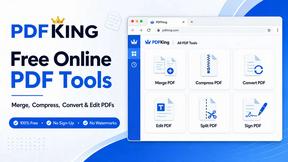
PDFKing
Free online PDF tools to merge, compress, convert, edit, sign, and manage documents—no signup, watermarks, or daily limits.



Dissect
A second brain that reads everything you save and answers questions about it, with citations.

CachePlex
CachePlex is an all-in-one suite of 22+ professional web tools. From SEO audits and image compression to AI writing, get everything in one free place.

Video2URL
Turn videos, images, PDFs, and files into shareable links with fast uploads and privacy-friendly controls.

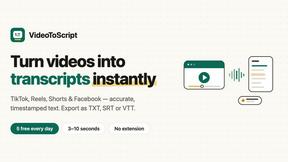
VideoToScript
Turn TikTok, Reels, Shorts, Facebook videos, audio, and video into accurate timestamped transcripts with TXT, SRT, and VTT exports.


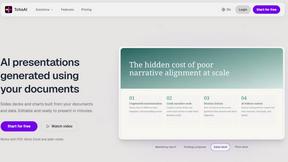
TchoAI
Turn your work into a presentation. Upload a document, paste your notes, or start from a prompt. TchoAI creates clear, editable slides in minutes.

Wisegrid
Spreadsheet-native work management with AI formulas, dashboards, automation, reporting, and project views for growing teams.


Postqued
Schedule and publish social content across 10 platforms with one dashboard, API, and MCP built for teams and AI agents.

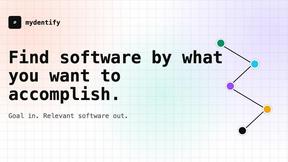
Mydentify
Find software by the job you need done, with source-backed comparisons and product research.

ihatepdf.cv
ihatepdf.cv is a privacy-first, browser-based PDF platform that provides an extensive suite of tools for editing, converting, compressing, organizing,
About Caption.IM Alternatives
Caption.IM is a macOS application that provides real-time AI-powered captioning, translation, and summarization for any audio playing on your device. It falls under the productivity and management category, specifically designed to enhance accessibility and information retention during meetings, webinars, online courses, and media consumption by generating live subtitles and structured notes locally. Users often seek alternatives to Caption.IM due to its macOS-only availability, which excludes Windows and Linux users, as well as potential concerns about pricing models, feature limitations for specific workflows, or the need for a solution that integrates more deeply with non-Apple ecosystems or offers additional cloud-based collaboration tools. When choosing an alternative, it is essential to evaluate platform compatibility, ensuring the tool works across your operating systems and preferred applications like Zoom, Teams, or YouTube. Consider whether the solution processes audio locally for privacy or relies on cloud servers, as this impacts data security and latency. Additionally, look for features that match your primary needs, such as real-time translation accuracy, the ability to generate summaries and action items, and support for various audio sources. Pricing transparency, including free tiers or one-time purchases versus subscriptions, is also a critical factor, as is the ease of setup and integration into your existing workflow without requiring meeting bots or browser extensions.
FAQs about Caption.IM Alternatives
What is Caption.IM?
Caption.IM is a privacy-first AI captioning assistant designed exclusively for macOS. It captures system audio directly to provide real-time captions, instant translations, recordings, and structured meeting notes for any application on your Mac, including Zoom, Google Meet, Microsoft Teams, YouTube, and podcasts. The software runs locally on your device, ensuring that your conversations remain private without needing browser extensions or meeting bots.
Who is Caption.IM for?
Caption.IM is built for professionals, students, and content consumers who rely on macOS and need real-time accessibility or productivity enhancements during virtual meetings, online courses, webinars, and media playback. It is particularly useful for individuals with hearing impairments, non-native speakers requiring live translations, and anyone who wants to capture key points, action items, or summaries from audio without manual note-taking. The tool is also ideal for privacy-conscious users who prefer local AI processing over cloud-based solutions.
Is Caption.IM free?
Based on the provided product content, there is no explicit mention of Caption.IM being free. However, it is described as a privacy-first tool that processes audio locally, which often implies a paid license or subscription model to cover development and local AI capabilities. Users should check the official website for current pricing, as many similar productivity tools offer a free trial or a limited free tier with premium features available for purchase.
What are the main features of Caption.IM?
Caption.IM provides real-time AI captions and live subtitles for any audio on a Mac, supports instant multilingual translations, and allows users to record important audio directly. It also transforms long discussions into clear summaries, key points, action items, and mind maps using local AI and Local LLMs. The tool works across nearly all applications by capturing system audio, eliminating the need for browser dependency or meeting bots, and prioritizes user privacy by processing everything on-device.