

Alternatives to Krea 2 AI
Krea 2 AI is a browser-based image workspace with aesthetic-first generation, style presets, and editing tools for creating expressive visuals.
Explore 20 alternatives to Krea 2 AI. Compare features, pricing, and find the best fit for your needs.
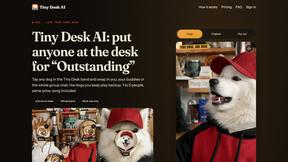
Tiny Desk AI
Put yourself or your friends in the viral Outstanding Tiny Desk video. Swap any of the 5 band members, song included. $9.98 for 1 to 5 people.
JevModel
Run the Jev decision model in your browser: 3 live runs without signup, then 100,000 free tokens, plus a Jev API.
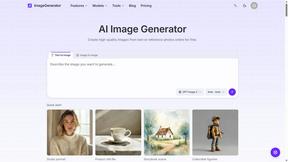
ImageGenerator
Create and edit AI images online with multiple models, text-to-image, image-to-image, background removal, and upscaling.
GenX
All-in-one AI workspace to generate images, videos, and audio with multiple leading AI models.

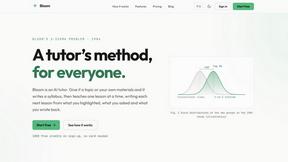
Bloom
An adaptive AI tutor that turns topics or your materials into courses, lessons, and answers tailored to how you learn.
AiAgeFilter
Free AI age filter: upload an adult portrait, add 10-40 years, meet your older self. No app needed.
AppIconGenerator
Generate iOS and Android app icons from any image. Preview and export all platform sizes for free.

Dola AI
Create AI videos from text or images with Dola AI. Free starter credits, multiple video models, instant downloads, plus AI image generation.
Nano AI
Create and edit AI images, generate videos, and compare models in one creative workbench.
LightScreen
Free light screen tool online. Turn any display into a flashlight, ambient light, or solid-color screen. No download or sign-up.
EditTextPhoto
AI-powered image text editor to edit, replace, fix, or translate text in images while preserving the original font, color, size, and style.
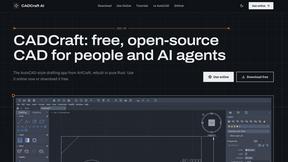
CADCraft
Free, open-source 2D CAD in Rust with layers, precision tools, and AI-ready MCP, JSON, and CLI automation.
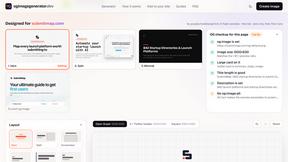
ogimagegenerator.dev
Paste a URL and AI designs on-brand Open Graph images from your page's colours, fonts and logo. Free, no sign-up.

AI Clothes Changer
Free AI clothes changer online. Swap outfits and try on clothes from a photo in minutes — create a free account to start, no card required.
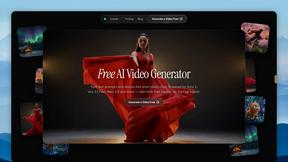
FreeVideoGenerator
Free AI video generator: turn text prompts and photos into video clips with Sora 2, Veo 3.1, Wan and more. Free starter credits, no watermark download

Maeve Social
Plan social content, collect client approvals, publish to nine platforms, and report on performance with an AI assistant.
About Krea 2 AI Alternatives
Krea 2 AI is a browser-based image workspace that falls under the categories of AI Assistants, Design Tools, and Image Generation. It is specifically built around aesthetic-first generation, allowing users to create expressive visuals through Large, Medium, and Turbo model tiers, apply style presets, and refine outputs with built-in editing tools. Users commonly look for alternatives to Krea 2 AI for a variety of reasons, including differences in pricing models, the need for specific features like batch processing or higher resolution outputs, or a preference for a different platform experience such as desktop software or mobile apps. Others may seek alternatives due to limitations in the number of available style presets, the speed of generation on the Turbo tier, or the desire for more advanced editing capabilities that extend beyond what a browser-based workspace can offer. When choosing an alternative to Krea 2 AI, it is important to consider several key factors to ensure the new tool meets your specific needs. First, evaluate the core generation capabilities, including the variety of model tiers and the quality of aesthetic outputs, as well as the availability of style presets and customization options. Second, assess the editing tools and workflow integration, looking for features like inpainting, outpainting, or layer-based editing that may be missing from the original platform. Third, consider the platform compatibility and pricing structure, whether you prefer a subscription model, pay-per-use credits, or a one-time purchase. Finally, think about scalability and performance, such as the speed of generation, the ability to handle multiple iterations quickly, and whether the tool supports team collaboration or API access for more advanced use cases.
FAQs about Krea 2 AI Alternatives
What is Krea 2 AI?
Krea 2 AI is a focused AI image workspace that operates entirely within a browser. It is designed for aesthetic-first generation, allowing users to create expressive visuals using Large, Medium, and Turbo model tiers. The platform includes style presets and editing tools, enabling rapid iteration without needing to leave the browser environment.
Who is Krea 2 AI for?
Krea 2 AI is ideal for digital artists, designers, and content creators who prioritize visual aesthetics and need a streamlined workflow for image generation. It is particularly suited for users who want to quickly apply style presets and refine outputs without switching between multiple applications. The browser-based nature makes it accessible to professionals and hobbyists alike who value convenience and speed.
Is Krea 2 AI free?
Based on the provided content, Krea 2 AI offers multiple model tiers including Large, Medium, and Turbo, which typically suggests a tiered pricing or usage model. While specific pricing details are not listed, many AI image generation platforms offer a free tier with limited credits or features, along with paid subscriptions for higher usage limits and access to premium model tiers. Users should check the official platform for the most current pricing information.
What are the main features of Krea 2 AI?
The main features of Krea 2 AI include an aesthetic-first generation workspace with three model tiers: Large, Medium, and Turbo, each offering different balances of quality and speed. It provides a library of style presets to quickly apply specific visual aesthetics to generated images. Additionally, it includes built-in editing tools for refining outputs, all accessible within a single browser-based interface to allow for rapid iteration and seamless workflow.