
Krea 2 AI
Krea 2 AI is a browser-based image workspace with aesthetic-first generation, style presets, and editing tools for creating expressive visuals.
Visit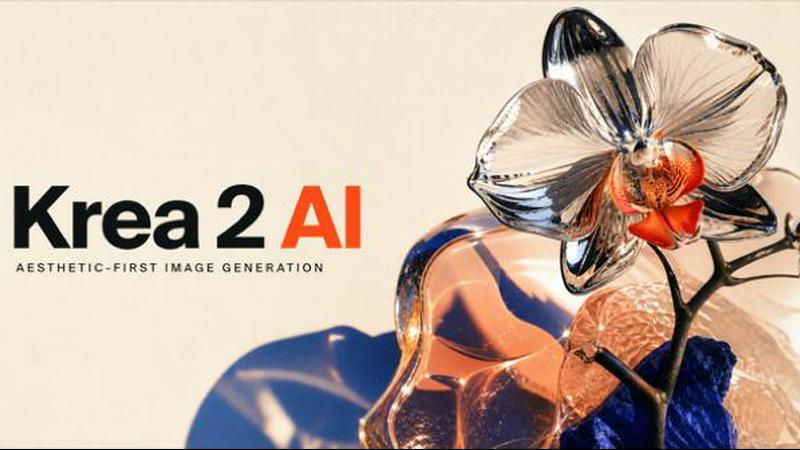
About Krea 2 AI
Krea 2 AI is a browser-based image workspace designed specifically for aesthetic-first generation, allowing users to create expressive visuals without ever leaving their browser. The platform is built around three core model tiers: Large, Medium, and Turbo, each tuned to deliver distinct creative outcomes with an emphasis on lighting, texture, and unconventional composition. Unlike generic image generators, Krea 2 AI prioritizes visual authorship, producing images that feel crafted rather than algorithmically generic. The platform is ideal for designers, art directors, content creators, and anyone who needs rapid visual iteration with professional-grade results. Users can start with a subject, frame, light, and material description, then change one variable between runs to maximize learning from each credit spent. Krea 2 AI also offers prompt expansion, style references, and editing tools that refine outputs without switching sites. Additionally, the workspace opens guest image routes for specialized needs such as typographic precision, fast Gemini branching, or FLUX photorealistic control. Private processing ensures data security, and new users receive three free credits to explore the platform. Krea 2 AI is a comprehensive solution for building art directions rather than keyword piles, enabling controlled iteration loops that produce consistent, high-quality visual outputs across multiple styles, formats, and production directions.
Features of Krea 2 AI
Three Model Tiers for Expressive Generation
Krea 2 AI offers Large, Medium, and Turbo model variants, each tuned for specific creative needs. The Large model delivers high-detail, expressive outputs with rich texture and lighting. Medium balances speed and quality for everyday projects. Turbo is optimized for rapid iteration, allowing users to test multiple directions quickly. All three tiers maintain the aesthetic-first philosophy, producing images with grain, texture, and expressive light that feel authored rather than generic. Users can switch between tiers seamlessly within the same workspace, adapting to project requirements without losing creative momentum.
Guest Models on Demand
Beyond its core models, Krea 2 AI integrates guest image routes for specialized generation tasks. Users can access GPT Image 2 for typographic precision, Nano Banana for fast Gemini forks, or FLUX models for photorealistic reference edits. This feature eliminates the need to switch between different platforms, keeping all creative work within the Krea 2 AI workspace. Each guest model is available on demand, and credits are estimated before every generation, ensuring transparent usage. This flexibility makes Krea 2 AI a versatile hub for diverse image generation needs.
Prompt Expansion and Style References
Krea 2 AI includes intelligent prompt expansion that transforms a direct idea into a fuller visual brief while preserving the subject and intent. Users can start with a simple concept and let the system expand it into a detailed prompt that guides the model toward more coherent and expressive outputs. Additionally, style references allow creators to carry composition and subject cues from reference images into new generations. This feature is particularly useful for maintaining brand consistency or exploring variations on a theme without starting from scratch.
Reference Editing with Kontext-Aware Revisions
The image-to-image functionality in Krea 2 AI accepts reference images for restyles, palette shifts, and Kontext-aware revisions. Users can upload an existing image and apply new stylistic directions, adjust color schemes, or refine specific elements while preserving the original composition. This feature supports identity-aware edits, making it ideal for character design, product visualization, and moodboard refinement. The editing tools are intuitive and do not require complex masking or layering, enabling rapid visual experimentation.
Use Cases of Krea 2 AI
Art Direction and Moodboard Development
Creative directors and designers use Krea 2 AI to build art directions for campaigns, branding, and editorial projects. By starting with concrete subjects and adding specific frame, light, and material descriptions, users can generate a series of cohesive visuals that explore different stylistic directions. The controlled iteration loop allows teams to test variations efficiently, refining concepts until they align with the creative brief. This use case saves time compared to traditional moodboard assembly and provides a higher volume of on-brand visual references.
Character Design and Illustration
Illustrators and character designers leverage Krea 2 AI for generating graphic character studies, fantasy subjects, and expressive portraits. The platform excels at combining imaginative subject matter with flat, high-energy compositions and distorted proportions. Users can specify character traits, environments, and stylistic constraints, then iterate quickly to explore multiple design options. The reference editing feature also enables restyling existing characters or applying identity-aware edits, making it a powerful tool for concept art and visual development.
Editorial and Commercial Photography
Photographers and content creators use Krea 2 AI to generate editorial-style images for articles, advertisements, and social media. The platform supports cinematic portraits, action shots, and moody environmental frames with precise control over lens language, viewpoint, and lighting. For example, a sports editorial can be generated with close wide-angle views, low vantage points, and reflective materials. The ability to specify composition and lens effects makes Krea 2 AI suitable for producing professional-grade imagery without a physical photoshoot.
Product Visualization and Packaging Design
Brand designers and product marketers use Krea 2 AI to create product mockups, packaging concepts, and lifestyle imagery. By combining reference images with style presets, users can generate realistic product shots in various settings, lighting conditions, and color palettes. The platform supports rapid iteration, allowing teams to test multiple design directions for packaging, advertising, and e-commerce. The guest model integration also enables photorealistic control when needed, ensuring high-quality outputs for client presentations.
Frequently Asked Questions
How do I get started with Krea 2 AI?
To start using Krea 2 AI, visit the website and sign in with your account. New users receive three free credits to explore the platform. Once signed in, you can select your model tier (Large, Medium, or Turbo), enter your prompt, choose an aspect ratio, and adjust creativity settings. Your generated image will appear in the workspace. You can also use prompt expansion or upload a reference image for image-to-image generation.
What is the difference between the Large, Medium, and Turbo models?
The Large model is optimized for high-detail, expressive outputs with rich texture and lighting, making it ideal for final art and presentations. Medium balances speed and quality for everyday projects and iterative work. Turbo is designed for rapid generation, allowing users to test multiple directions quickly. All three models maintain the aesthetic-first philosophy, but the choice depends on your need for detail versus speed.
Can I use Krea 2 AI for commercial projects?
Yes, Krea 2 AI is suitable for commercial projects including advertising, branding, editorial content, and product visualization. The platform provides private processing to ensure your data and generated images remain secure. However, you should review the terms of service for specific licensing details regarding commercial use and ownership of generated assets.
How does the credit system work?
Krea 2 AI uses a credit-based system where each generation consumes a certain number of credits based on the model tier and settings. Credits are estimated before every generation, so you know the cost upfront. New users receive three free credits to start. Additional credits can be purchased through the pricing page. The system allows you to manage your usage and budget effectively while exploring different creative directions.
Pricing of Krea 2 AI
Krea 2 AI offers a straightforward credit-based pricing model. New users receive three free credits upon signup to explore the platform. Additional credits can be purchased in bundles through the pricing page on the website. The exact cost per credit and available bundle sizes are displayed on the pricing page and may vary based on promotional offers or subscription plans. Each generation estimates the credit cost before execution, ensuring transparency. For enterprise or high-volume usage, users can contact the sales team for custom pricing options. Visit the Krea 2 AI pricing page for the most current information on credit bundles and any available subscription tiers.
Explore more in this category:
Similar to Krea 2 AI

Free AI video generator: turn text prompts and photos into video clips with Sora 2, Veo 3.1, Wan and more. Free starter credits, no watermark download

Plan social content, collect client approvals, publish to nine platforms, and report on performance with an AI assistant.

Free Chrome extension. Paste your rough point and Chrome's built-in AI writes a fresh reply for that post on X, LinkedIn, Facebook or Instagram.

Apps and files on an infinite canvas where people and AI agents work together.

AI pet image generator with photo-to-pet and free credits

AI meeting notes, transcripts, summaries and action items on iPhone, iPad and Android.

Provide AI-powered customer support widget for your website
