

Alternatives to MacBrightness
MacBrightness lets you boost your Mac screen past its default limit for up to 1,600 nits of sustained brightness in any app.
Explore 20 alternatives to MacBrightness. Compare features, pricing, and find the best fit for your needs.
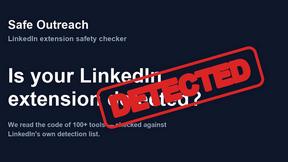
Safe Outreach
AI-powered platform that evaluates the safety of LinkedIn automation tools and helps reduce the risk of account restrictions.
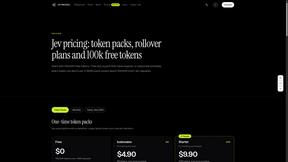
JevModel
Run the Jev decision model in your browser: 3 live runs without signup, then 100,000 free tokens, plus a Jev API.

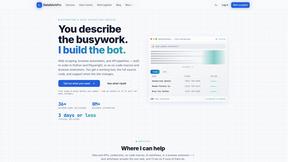
Datafetchpro
DatafetchPro builds custom web scrapers, browser automation bots and API pipelines to order.
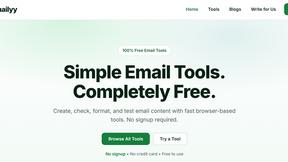
Emailyy
Free email tools for signatures, subject lines, HTML previews, word counts, and email headers. Browser-based, simple to use, and no signup required.
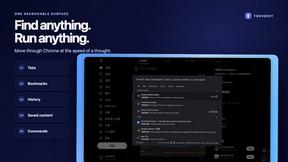
TroveKey
Search tabs, Chrome bookmarks and history, run browser commands, and save webpages and social posts locally—no account.

Uniclip
Clip pages, take full-page screenshots and batch-capture list data to Notion, Feishu, Obsidian, Markdown, CSV or JSON.
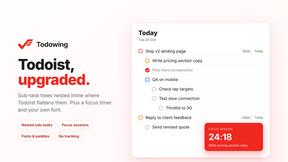
Todowing
Chrome extension for Todoist that shows nested sub-tasks inline in Today, Upcoming, Filter and Label views. Free tier, $19.99 one-time unlock.
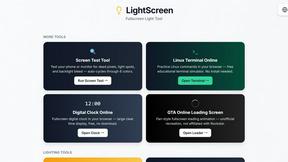
LightScreen
Free light screen tool online. Turn any display into a flashlight, ambient light, or solid-color screen. No download or sign-up.
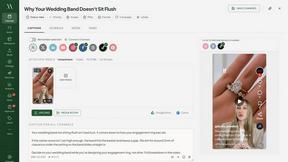
Maeve Social
Plan social content, collect client approvals, publish to nine platforms, and report on performance with an AI assistant.
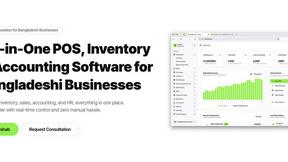
Hishab
All-in-one POS, inventory, accounting and HR software for Bangladeshi SMEs — real-time sales, stock and finance in one place.
Noter AI
AI meeting notes, transcripts, summaries and action items on iPhone, iPad and Android.
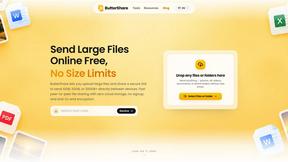
ButterShare
ButterShare is a browser-based peer-to-peer file transfer tool that lets you send large files and folders directly between devices without signup or c
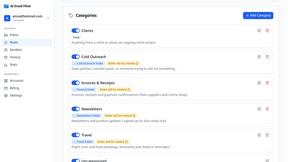
AI Email Filter
AI Email Filter sorts incoming mail into folders using plain-language prompts you write. Works with any IMAP mailbox; bring your own LLM if you want.
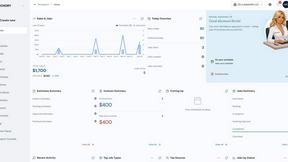
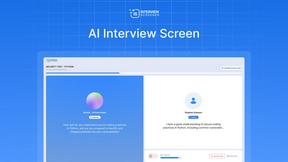
Interview Screener- recruiting platform
AI hiring platform to screen resumes, run 10-language voice interviews, and rank top talent automatically.
Kody Tools
Free collection of online developer utilities, code formatters, and digital converters designed to streamline your daily workflow.

99x Prompts | 50k+ AI Prompts
Discover 50,000+ ready-to-use AI prompts for text, image, and video generation. Save time and create better results with AI.
About MacBrightness Alternatives
MacBrightness is a utility application designed for productivity and management, specifically engineered to unlock the hidden HDR brightness range on compatible Mac displays. It falls into the niche category of display enhancement tools that extend native system capabilities, allowing the screen to reach nearly double its standard brightness for improved outdoor visibility. Users often seek alternatives to MacBrightness for several reasons, including pricing preferences, as it offers a one-time purchase with a limited free trial; compatibility limitations, since it only works with specific M-series MacBook Pros and the Pro Display XDR; or a desire for different feature sets, such as brightness scheduling, blue light filtering, or integration with other system controls. When evaluating alternatives, it is important to consider system compatibility with your specific Mac model, the method of brightness adjustment (whether it uses keyboard shortcuts or separate controls), energy efficiency and CPU overhead, and whether the tool relies on safe, standard display protocols rather than low-level system modifications that could impact stability or security.
FAQs about MacBrightness Alternatives
What is MacBrightness?
MacBrightness is a utility tool that boosts the screen brightness on compatible Mac displays beyond the standard macOS limit. It unlocks the hidden HDR brightness range that the display already supports, allowing the screen to reach nearly twice its normal brightness. This enables the display to remain readable in direct sunlight, such as on a patio, near a bright window, or on an airplane.
Who is MacBrightness for?
MacBrightness is designed for users of MacBook Pro 14-inch and 16-inch models with M-series Pro or Max chips, as well as the Pro Display XDR, which feature mini-LED panels capable of sustaining around 1,600 nits. It is ideal for professionals and frequent travelers who work outdoors or in brightly lit environments and need their screen to remain visible without relying solely on HDR video content. Anyone who finds the default macOS brightness insufficient for sunny conditions will benefit from this tool.
Is MacBrightness free?
MacBrightness offers a free trial through its Splitscreen Mode, where one half of the screen jumps to full brightness so users can see the difference side by side. The full version, which unlocks the entire display, requires a one-time purchase with no subscription fees. This pricing model allows users to test the functionality before committing to a purchase.
What are the main features of MacBrightness?
The main features include system-wide brightness boosting that works with the existing keyboard brightness keys, eliminating the need for new shortcuts or separate controls. It provides twice the standard brightness across all applications, not just HDR video, and operates without noticeable CPU overhead or low-level system hacks. The tool only utilizes the HDR brightness range that the display already supports, ensuring safe and efficient performance.