

Alternatives to Seedream 5.0 Pro
Seedream 5.0 Pro generates high-quality images from text and supports side-by-side comparisons with leading models for optimized workflows.
Explore 20 alternatives to Seedream 5.0 Pro. Compare features, pricing, and find the best fit for your needs.


Outstanding Tiny Desk AI
Upload photos of you and up to 4 friends and get a 15-second Outstanding Tiny Desk AI video with AI-generated sound, in 9:16 for TikTok and Reels.

Tip Toeing in My Jordans
Upload a photo and get a 12-second Tip Toeing in My Jordans video: you play the AI Rumpelstiltskin, a friend can play the woman in the hay.

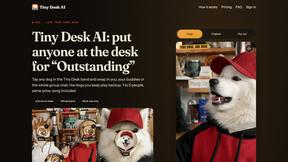
Tiny Desk AI
Put yourself or your friends in the viral Outstanding Tiny Desk video. Swap any of the 5 band members, song included. $9.98 for 1 to 5 people.

JevModel
Run the Jev decision model in your browser: 3 live runs without signup, then 100,000 free tokens, plus a Jev API.
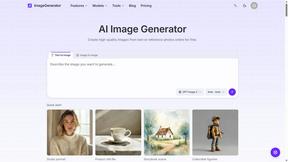
ImageGenerator
Create and edit AI images online with multiple models, text-to-image, image-to-image, background removal, and upscaling.

Bulin 47 Viral Video AI
Upload one photo and put yourself in the viral Bulin 47 freestyle dance video.

GenX
All-in-one AI workspace to generate images, videos, and audio with multiple leading AI models.


Bloom
An adaptive AI tutor that turns topics or your materials into courses, lessons, and answers tailored to how you learn.

AiAgeFilter
Free AI age filter: upload an adult portrait, add 10-40 years, meet your older self. No app needed.

AppIconGenerator
Generate iOS and Android app icons from any image. Preview and export all platform sizes for free.

Dola AI
Create AI videos from text or images with Dola AI. Free starter credits, multiple video models, instant downloads, plus AI image generation.
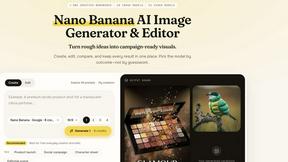
Nano AI
Create and edit AI images, generate videos, and compare models in one creative workbench.

LightScreen
Free light screen tool online. Turn any display into a flashlight, ambient light, or solid-color screen. No download or sign-up.
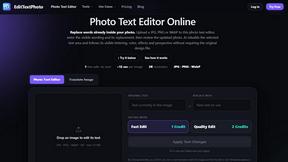
EditTextPhoto
AI-powered image text editor to edit, replace, fix, or translate text in images while preserving the original font, color, size, and style.

About Seedream 5.0 Pro Alternatives
Seedream 5.0 Pro is a professional-grade image generation workspace designed for users who require dense layouts, precise multilingual text rendering, and polished production output. It falls under the intersection of Design Tools, Content Creation, and Image Generation, positioning itself as a comprehensive solution for creators who need to move beyond simple image prompts into structured, text-heavy visual assets. While it offers a robust feature set, users commonly begin searching for alternatives due to factors such as pricing models that may not fit a tight budget, a desire for simpler interfaces for rapid prototyping, or specific platform compatibility requirements like mobile-first workflows. Others may seek options that offer different model architectures for varied artistic styles or faster generation speeds for high-volume tasks. When evaluating an alternative, it is crucial to first identify your primary use case. If your work involves generating marketing materials with embedded copy, look for a tool that excels at text-to-image accuracy and layout control. For users prioritizing speed and simplicity, a lightweight generator with fewer customization options might be preferable. Budget is another key factor; consider whether you need a pay-per-use model, a subscription for unlimited generations, or a free tier with watermarked output. Finally, assess the security and data privacy policies of any platform, especially if you are handling proprietary designs or sensitive brand assets. The best choice will balance these elements against your specific workflow demands.
FAQs about Seedream 5.0 Pro Alternatives
What is Seedream 5.0 Pro?
Seedream 5.0 Pro is a professional image generation workspace that specializes in creating dense layouts with multilingual text and polished production output. It is designed for users who need to generate complex, text-heavy visual assets such as marketing materials, social media graphics, and branded content. The tool combines advanced AI image generation with precise layout control to deliver high-quality results.
Who is Seedream 5.0 Pro for?
Seedream 5.0 Pro is built for content creators, graphic designers, and marketing professionals who require a secure generator for text and image workflows. It is ideal for users who need to produce polished, production-ready visuals that include dense text in multiple languages. The platform caters to teams and individuals who prioritize precise layout control and professional-grade output over simple image generation.
Is Seedream 5.0 Pro free?
Seedream 5.0 Pro operates as a professional tool, meaning it typically requires a paid subscription or credit-based system to access its full capabilities, including high-resolution output and commercial usage rights. While there may be a free trial or limited free tier available for testing, the core features designed for production workflows are generally behind a paywall. Users should check the official website for the most current pricing and free access options.
What are the main features of Seedream 5.0 Pro?
The main features of Seedream 5.0 Pro include its ability to generate images with dense, multilingual text embedded directly into the layout, ensuring high readability and design accuracy. It also offers polished production output suitable for professional use, making it distinct from simpler image generators. The platform functions as a secure, all-in-one workspace for text and image workflows, allowing users to compare different models like Lite, GPT Image 2, Nano Banana, and FLUX within the same interface.