
Seedream 5.0 Pro
Seedream 5.0 Pro generates high-quality images from text and supports side-by-side comparisons with leading models for optimized workflows.
VisitPublished on:
July 20, 2026
Pricing:
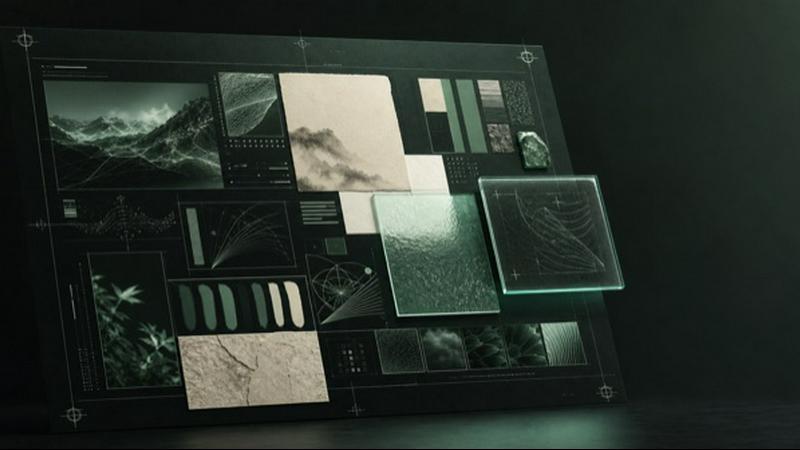
About Seedream 5.0 Pro
Seedream 5.0 Pro is a professional-grade AI image generation workspace developed by ByteDance, designed for users who require dense layouts, multilingual text rendering, and polished production output. This platform serves as a unified hub where creatives, marketers, designers, and developers can generate high-quality images using a single brief while comparing multiple state-of-the-art models side by side. The core value proposition lies in its ability to handle complex visual tasks that demand precise text placement, structured information hierarchies, and multilingual support across 14 languages. Unlike simple text-to-image generators, Seedream 5.0 Pro offers both text-to-image and image-to-image functions, allowing users to upload reference images and describe specific edits. The workspace integrates a curated selection of ten image models, including Seedream Lite, GPT Image 2, Nano Banana, Nano Banana 2, Nano Banana Pro, FLUX.2, FLUX.2 Pro, FLUX.2 Max, and FLUX.1 Kontext, all accessible without leaving the generator. This makes it an essential tool for professionals who need to evaluate different AI approaches for a single project, whether for technical blueprints, cinematic edits, or photographic realism. With private server processing, transparent credit costs before generation, and automatic failure refunds, Seedream 5.0 Pro prioritizes security, efficiency, and user confidence. It is particularly suited for information design, commerce layouts, signage, and any scenario where visual clarity and text accuracy are paramount.
Features of Seedream 5.0 Pro
Dense Information Layouts
Seedream 5.0 Pro excels at turning structured briefs into complex visual compositions such as infographics, technical drawings, storyboards, and text-rich layouts. The model understands hierarchy and placement, ensuring that elements like labels, diagrams, and annotations appear exactly where intended. This feature allows users to generate professional-grade documentation, educational materials, and data visualizations without manual design work, saving significant time while maintaining high production standards.
Multilingual Text Rendering
The platform supports native text generation across 14 languages through the fal endpoint, making it ideal for localized posters, packaging directions, signage, and campaign variants. Unlike many AI image generators that struggle with foreign characters or produce garbled text, Seedream 5.0 Pro accurately renders readable words in languages such as English, Chinese, Japanese, and Korean. This capability is critical for global brands and designers who need to produce consistent visual assets across different markets.
Image-to-Image Editing
Users can upload one to four reference images and describe the desired changes, enabling precise image editing workflows. The generator supports live edit routes across Seedream, GPT Image 2, Nano Banana, and FLUX endpoints, allowing for iterative refinement without starting from scratch. This feature is particularly useful for retouching, style transfer, object replacement, and combining elements from multiple source images, all while maintaining coherent lighting and perspective.
One Brief, Many Models
A standout feature is the ability to write a single prompt and compare outputs from ten different image models within the same workspace. Users can switch between Seedream Pro, Lite, GPT Image 2, Nano Banana variants, and FLUX family models without rewriting the prompt or losing context. This enables rapid A/B testing of different AI approaches for style, detail level, and text accuracy, helping professionals select the best model for each specific task.
Use Cases of Seedream 5.0 Pro
Information Design and Infographics
Professionals can generate dense educational layouts that combine flavor wheels, ingredient drawings, process diagrams, labels, and restrained watercolor styling in a single image. For example, an infographic explaining six major tea types with a watercolor flavor wheel, tea leaves, oxidation charts, thermometers, and rice-paper texture can be created from a structured brief. This use case is ideal for textbook publishers, e-learning platforms, and corporate training materials.
Multilingual Signage and Public Information
Public-information posters that require dense hierarchy and readable text across multiple languages can be produced efficiently. A vertical subway safety notice in white, yellow, and black with clear English, Chinese, Japanese, and Korean sections demonstrates the model's ability to handle complex typography. This is valuable for transportation authorities, international events, and global retail chains needing consistent signage.
Commerce and Product Detail Layouts
E-commerce teams can generate complete product-detail pages that include merchandising elements, feature callouts, and visual hierarchy in one composition. For instance, a coffee machine product page can be created with labeled components, specifications, and lifestyle imagery. This accelerates the production of online store assets, catalog pages, and promotional materials without requiring manual layout design.
Technical Drawings and Storyboards
Engineers, architects, and filmmakers can use Seedream 5.0 Pro to create technical blueprints, schematic diagrams, and storyboard frames from text descriptions. The model accurately places labels, dimensions, and directional arrows, making it suitable for patent illustrations, construction documentation, and pre-production visual planning. This reduces the time spent on drafting while maintaining precision.
Frequently Asked Questions
What image models are available in Seedream 5.0 Pro?
The platform includes ten selectable models: Seedream 5.0 Pro, Seedream 5.0 Lite, GPT Image 2, Nano Banana, Nano Banana 2, Nano Banana Pro, FLUX.2, FLUX.2 Pro, FLUX.2 Max, and FLUX.1 Kontext. You can switch between these models without leaving the generator or rewriting your prompt, allowing direct comparison of outputs for the same brief.
How does the image-to-image function work?
You can upload between one and four reference images, then describe the specific changes you want to make. The generator supports live edit routes across Seedream, GPT Image 2, Nano Banana, and FLUX endpoints. This enables tasks like retouching, style transfer, object replacement, and combining elements from multiple source images while maintaining visual coherence.
Does Seedream 5.0 Pro support multiple languages?
Yes, the platform supports native text generation across 14 languages through the fal endpoint. This includes languages like English, Chinese, Japanese, and Korean. The model is designed to render readable, correctly placed text in multilingual contexts, making it suitable for localized posters, signage, packaging, and campaign materials.
How is pricing structured and what about failures?
You see the credit cost before every generation, so there are no surprises. The platform offers subscription or one-time credit purchase options. Importantly, there are automatic failure refunds, meaning if a generation fails for any server-side reason, your credits are automatically returned. This provides financial protection and confidence when experimenting with different models.
Similar to Seedream 5.0 Pro

Free AI video generator: turn text prompts and photos into video clips with Sora 2, Veo 3.1, Wan and more. Free starter credits, no watermark download

Plan social content, collect client approvals, publish to nine platforms, and report on performance with an AI assistant.

AI growth tool for X and LinkedIn: write posts in your voice, schedule at your best times, find leads on X and see what works.

Free Chrome extension. Paste your rough point and Chrome's built-in AI writes a fresh reply for that post on X, LinkedIn, Facebook or Instagram.

Apps and files on an infinite canvas where people and AI agents work together.

AI pet image generator with photo-to-pet and free credits

AI meeting notes, transcripts, summaries and action items on iPhone, iPad and Android.
