

Alternatives to Tagada
Tagada lets you parse, highlight, and categorize Gmail sentences locally for private, efficient email organization without AI or cloud.
Explore 20 alternatives to Tagada. Compare features, pricing, and find the best fit for your needs.

Dissect
A second brain that reads everything you save and answers questions about it, with citations.

CachePlex
CachePlex is an all-in-one suite of 22+ professional web tools. From SEO audits and image compression to AI writing, get everything in one free place.

Video2URL
Turn videos, images, PDFs, and files into shareable links with fast uploads and privacy-friendly controls.

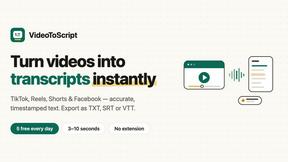
VideoToScript
Turn TikTok, Reels, Shorts, Facebook videos, audio, and video into accurate timestamped transcripts with TXT, SRT, and VTT exports.



TchoAI
Turn your work into a presentation. Upload a document, paste your notes, or start from a prompt. TchoAI creates clear, editable slides in minutes.

Wisegrid
Spreadsheet-native work management with AI formulas, dashboards, automation, reporting, and project views for growing teams.


Postqued
Schedule and publish social content across 10 platforms with one dashboard, API, and MCP built for teams and AI agents.
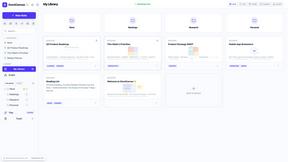
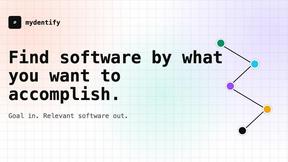
Mydentify
Find software by the job you need done, with source-backed comparisons and product research.
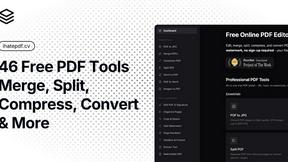
ihatepdf.cv
ihatepdf.cv is a privacy-first, browser-based PDF platform that provides an extensive suite of tools for editing, converting, compressing, organizing,

ImageToSTL.online
ImageToSTL.online is a free, private browser-based tool that instantly converts PNG and JPG images into watertight STL files for 3D printing.

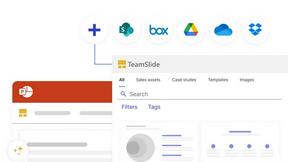
TeamSlide
TeamSlide lets your team build on-brand presentations instantly by syncing approved slides from your content system directly into PowerPoint.
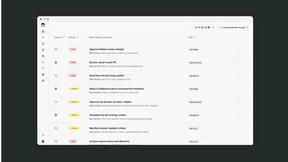
readywhen
readywhen automatically captures your decisions and commitments from tools you already use, then drafts your next steps so you just approve.
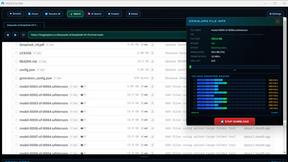
veloceidm.com
VELOCE AI is a Windows download manager with a built-in browser and AI acceleration that optimizes speeds and finds files for a one-time fee of five.
About Tagada Alternatives
Tagada is a browser extension that belongs to the productivity and management category, designed specifically to streamline how professionals handle their Gmail inboxes. It parses incoming emails into clickable sentences, allowing users to highlight, tag, and organize key points by category with a single click, all without sending any data to the cloud. Users commonly look for alternatives to Tagada due to factors such as pricing models that may not fit their budget, a desire for additional features like team collaboration or advanced analytics, or platform compatibility needs beyond the Gmail environment. Some may also seek tools that offer built-in AI assistance or integration with other email clients, as Tagada focuses on local processing and works exclusively inside Gmail. When evaluating alternatives to Tagada, it is important to prioritize solutions that align with your specific workflow and privacy requirements. Look for tools that offer transparent data handling policies, especially if you handle sensitive information, and ensure the alternative provides the core functionality of parsing and categorizing email content efficiently. Consider whether the tool supports the email platforms you use, offers customization for tagging and reply templates, and integrates smoothly with your existing productivity stack. Additionally, assess the pricing structure to confirm it matches your usage volume, and test the user interface to ensure it reduces rather than complicates your email response time.
FAQs about Tagada Alternatives
What is Tagada?
Tagada is a browser extension that transforms how you read and reply to emails in Gmail by parsing incoming messages into clickable sentences. It allows you to highlight, tag, and organize these sentences by category in a single click, then generates a clean reply template built around the points that matter. All processing happens 100% locally on your device, meaning no data is sent to the cloud or to third-party servers.
Who is Tagada for?
Tagada is ideal for professionals, support teams, freelancers, consultants, and anyone who manages long email threads and wants to respond faster and more clearly. It is designed for users who need to structure their replies around key points without leaving Gmail or learning a new tool. The extension particularly benefits those who prioritize data privacy, as it operates entirely on your local machine.
Is Tagada free?
The provided content does not specify whether Tagada is free or has a paid pricing model. For the most accurate and up-to-date information on pricing, including any free tiers or subscription plans, you should visit the official Tagada website or check its listing on the browser extension store. Typically, productivity tools like this offer a free trial or a limited free version.
What are the main features of Tagada?
Tagada's main features include instant parsing of emails into selectable sentences, one-click highlighting and tagging by category, and auto-generated reply templates built from your selections. It works directly inside Gmail with no new tool to learn and processes all data 100% locally with no AI, no cloud, and no third-party servers. This helps users cut response time while keeping their data fully private.