

Alternatives to Utilonix
Utilonix provides fast, private, and free online tools for text, images, PDFs, calculators, and more with no signup required.
Explore 20 alternatives to Utilonix. Compare features, pricing, and find the best fit for your needs.


My Tools Suite Pro
Discover the best free online tools with ToolSuite Pro. Explore AI, productivity, marketing, SEO, writing, business, and software tools in one place.

BuildItOmi
Omi can build anything: apps, websites, business software, games and Chrome extensions. Describe it in one sentence and AI agents build it.
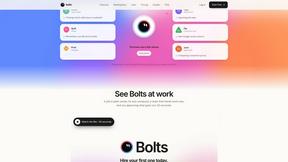
Bolts
AI employees with a brain that think, remember your business and work 24/7 on their own cloud computers.
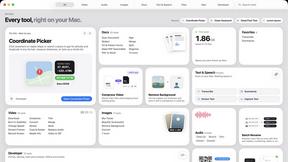
Toolbox
96 private Mac tools in one app: compress video, sign PDFs, remove backgrounds, transcribe. Offline, no account, pay once.



Safe Outreach
AI-powered platform that evaluates the safety of LinkedIn automation tools and helps reduce the risk of account restrictions.

JevModel
Run the Jev decision model in your browser: 3 live runs without signup, then 100,000 free tokens, plus a Jev API.


Datafetchpro
DatafetchPro builds custom web scrapers, browser automation bots and API pipelines to order.

Emailyy
Free email tools for signatures, subject lines, HTML previews, word counts, and email headers. Browser-based, simple to use, and no signup required.

JoMatter
Jomatter provides free online tools for HTML, CSS, and JavaScript developers, helping simplify common web development and coding tasks.


TroveKey
Search tabs, Chrome bookmarks and history, run browser commands, and save webpages and social posts locally—no account.

Uniclip
Clip pages, take full-page screenshots and batch-capture list data to Notion, Feishu, Obsidian, Markdown, CSV or JSON.

AppIconGenerator
Generate iOS and Android app icons from any image. Preview and export all platform sizes for free.

Todowing
Chrome extension for Todoist that shows nested sub-tasks inline in Today, Upcoming, Filter and Label views. Free tier, $19.99 one-time unlock.

LightScreen
Free light screen tool online. Turn any display into a flashlight, ambient light, or solid-color screen. No download or sign-up.

EditTextPhoto
AI-powered image text editor to edit, replace, fix, or translate text in images while preserving the original font, color, size, and style.
About Utilonix Alternatives
Utilonix is a free online tools platform that belongs to the productivity and development tools category, offering browser-based utilities for text editing, image processing, PDF management, calculators, security, and everyday tasks. Its core appeal is providing fast, simple, and privacy-friendly solutions without requiring any signup or installation. While Utilonix covers a broad range of needs, users often look for alternatives when they require more advanced features, specific niche tools not available on the platform, better performance for large files, or a different user interface that better suits their workflow. Some users may also seek tools with offline capabilities or those that integrate more deeply with other software they use. When choosing an alternative to Utilonix, it is important to consider the specific categories of tools you use most frequently, such as development utilities or productivity management. Evaluate the platform’s ease of use, whether it requires account creation, and how it handles data privacy and security. Look for alternatives that offer the same or better functionality for your most common tasks, along with reliable performance and minimal ads. Additionally, consider whether the alternative provides batch processing, advanced customization options, or API access if those are important for your work. A good alternative should maintain the simplicity and speed you value while addressing any gaps you have identified.
FAQs about Utilonix Alternatives
What is Utilonix?
Utilonix is a free online tools platform that provides a wide range of browser-based utilities for text editing, image processing, PDF management, calculators, security, development, and everyday productivity tasks. It is designed to be fast, simple, and privacy-friendly, with no signup required to access any of its tools. Users can directly access tools like password generators, image compressors, PDF converters, QR code generators, and word counters from their web browser.
Who is Utilonix for?
Utilonix is designed for anyone who needs quick, browser-based solutions for common tasks without the hassle of creating an account or installing software. It is ideal for developers who need coding utilities, professionals managing documents and images, students performing calculations, and everyday users looking for generators or converters. The platform serves both casual users who need a simple tool occasionally and power users who require fast access to a variety of utilities.
Is Utilonix free?
Yes, Utilonix is completely free to use. All tools on the platform are available at no cost, and there are no hidden fees or premium subscriptions required to access any features. Users can utilize any tool, including password generators, image compressors, PDF converters, and calculators, without needing to sign up or provide any personal information.
What are the main features of Utilonix?
Utilonix offers a comprehensive collection of tools organized into categories such as Dev Tools and Productivity & Management. Key features include text editing utilities, image compressors, PDF converters and editors, calculators, password generators, QR code generators, word counters, and various development tools. All tools are web-based, meaning they work directly in the browser without downloads, and the platform emphasizes speed, simplicity, and user privacy by not requiring any registration.