

Alternatives to Very Good Calendar Sync
A Mac app that syncs work, personal, and client calendars without linking accounts, sharing details, or exposing your data.
Explore 20 alternatives to Very Good Calendar Sync. Compare features, pricing, and find the best fit for your needs.
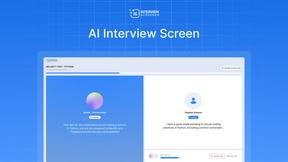
Interview Screener- recruiting platform
AI hiring platform to screen resumes, run 10-language voice interviews, and rank top talent automatically.
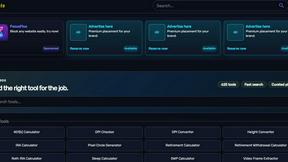
Kody Tools
Free collection of online developer utilities, code formatters, and digital converters designed to streamline your daily workflow.

99x Prompts | 50k+ AI Prompts
Discover 50,000+ ready-to-use AI prompts for text, image, and video generation. Save time and create better results with AI.
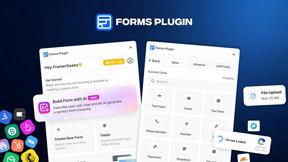
Forms Plugin
The #1 Native Form Builder Plugin for Framer - No Code, No Embeds, No External Platforms.

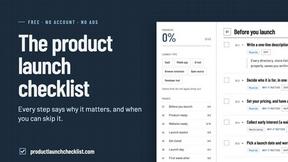
Product Launch Checklist
A free launch checklist for SaaS, apps, AI tools and more. Every step says why it matters and when you can skip it.

iHatePosting
Create once, tailor for each platform, and schedule posts across 14 social networks from one simple dashboard.
PDFWix
PDFWix is a free online PDF toolkit designed to make everyday PDF tasks simple, fast, and private.
PDFKing
Free online PDF tools to merge, compress, convert, edit, sign, and manage documents—no signup, watermarks, or daily limits.

iHatePDF
iHatePDF is a free suite of 35+ professional PDF tools, all simplified in a place. Built with ❤️ for the people who hate slow PDF platforms.

Dissect
A second brain that reads everything you save and answers questions about it, with citations.
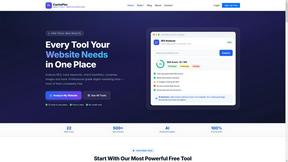
CachePlex
CachePlex is an all-in-one suite of 22+ professional web tools. From SEO audits and image compression to AI writing, get everything in one free place.

Video2URL
Turn videos, images, PDFs, and files into shareable links with fast uploads and privacy-friendly controls.

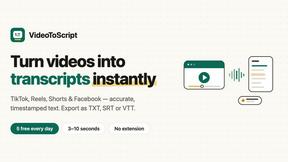
VideoToScript
Turn TikTok, Reels, Shorts, Facebook videos, audio, and video into accurate timestamped transcripts with TXT, SRT, and VTT exports.


About Very Good Calendar Sync Alternatives
Very Good Calendar Sync is a macOS-native utility designed to automate the synchronization of multiple calendars without relying on cloud services or manual updates. It falls under the productivity and management category, specifically tailored for users who need to maintain separate work and personal calendars while ensuring changes appear across both environments seamlessly. The application operates entirely on the user’s local machine, using the built-in Calendar.app permissions to read and write data, which eliminates the need for third-party servers or credential sharing. Users commonly seek alternatives to Very Good Calendar Sync for several reasons, including pricing considerations, platform limitations, or specific feature requirements. Since the product is exclusive to macOS, users on Windows, Linux, or mobile platforms may need cross-platform solutions. Others might look for alternatives if they require more advanced filtering rules, integration with non-Apple calendar services, or a different pricing model such as a one-time purchase versus a subscription. When evaluating alternatives, it is important to consider privacy and data security, ease of setup, the granularity of sync controls (such as time ranges and event detail sharing), and whether the tool supports the specific calendar providers you rely on. Additionally, checking for background sync reliability and compatibility with your operating system will help ensure a smooth workflow.
FAQs about Very Good Calendar Sync Alternatives
What is Very Good Calendar Sync?
Very Good Calendar Sync is a macOS application that automatically synchronizes calendars from your Calendar.app without requiring cloud storage or third-party servers. It monitors your calendars in the background and syncs changes instantly, ensuring that events added to one calendar appear on another. The app prioritizes privacy by keeping all data on your Mac and using native calendar access only.
Who is Very Good Calendar Sync for?
Very Good Calendar Sync is designed for professionals who manage multiple calendars and need seamless synchronization without manual effort. It is ideal for consultants juggling client calendars, employees balancing work and personal schedules, freelancers handling multiple projects, and anyone tired of checking different calendars separately. The tool is particularly useful for macOS users who value privacy and local data processing.
Is Very Good Calendar Sync free?
The provided content does not specify a pricing model for Very Good Calendar Sync. Users are encouraged to check the official product page or developer documentation for current pricing, which may include a one-time purchase, subscription, or free trial. The focus of the product is on its privacy-first, local synchronization approach rather than cost details.
Is Very Good Calendar Sync secure?
Yes, Very Good Calendar Sync is designed with security and privacy as core principles. Your calendar data never leaves your Mac, and no credentials are shared with third parties. The app uses your Mac's native Calendar.app permissions to read and write events, and nothing is transmitted externally or stored in the cloud. This makes it a secure choice for users concerned about data breaches or unauthorized access.