
Online Keyboard Shortcuts
OnlineShortcuts.com provides a comprehensive, cross-platform reference for essential keyboard shortcuts across Windows, macOS, and Linux.
Visit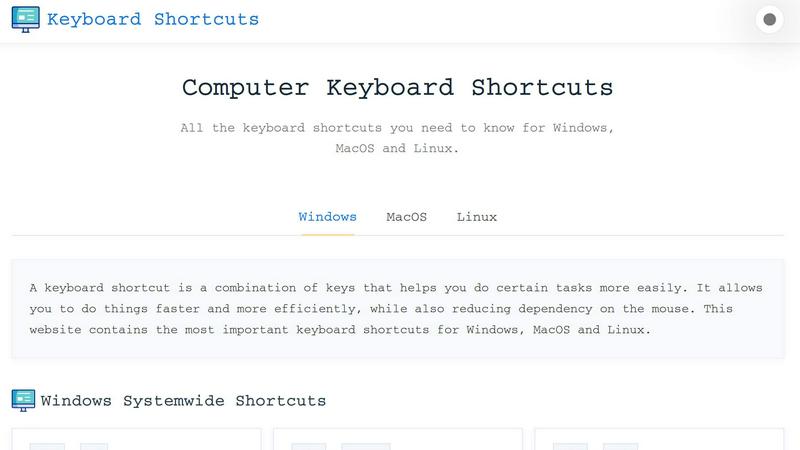
About Online Keyboard Shortcuts
Online Keyboard Shortcuts is a comprehensive, cross-platform reference guide designed to help users of all skill levels master the essential keyboard shortcuts for Windows, macOS, and Linux operating systems. The product serves as a centralized resource where users can quickly look up, learn, and memorize the most important key combinations that enhance productivity and streamline daily computer interactions. By providing a clean, organized, and easy-to-navigate interface, Online Keyboard Shortcuts eliminates the need to search through scattered documentation or rely on trial and error. The primary value proposition is efficiency: keyboard shortcuts allow users to perform tasks faster, reduce dependency on the mouse, and maintain a more fluid workflow. This resource is ideal for students, professionals, developers, designers, and anyone who spends significant time on a computer and wants to optimize their performance. The website covers system-wide shortcuts, application-specific commands for tools like File Explorer, Command Prompt, web browsers, and virtual desktop management, as well as text editing hotkeys. Additionally, users can download printable cheat sheets in PDF and PNG formats for offline reference. The FAQ section addresses common questions with a touch of humor, making the learning experience more engaging. Overall, Online Keyboard Shortcuts is a practical, no-nonsense tool that empowers users to work smarter, not harder, by mastering the keyboard.
Features of Online Keyboard Shortcuts
Comprehensive Cross-Platform Coverage
The product provides an extensive library of keyboard shortcuts for Windows, macOS, and Linux operating systems. This feature ensures that users are not limited to a single platform but can access relevant shortcuts regardless of the operating system they use. Each platform section is clearly separated and organized, making it easy to find the exact combination needed for system-wide tasks, application-specific commands, or text editing operations. The inclusion of all three major desktop operating systems makes this resource invaluable for IT professionals, developers, and power users who frequently switch between environments.
Downloadable Cheat Sheets
Users can download the complete collection of keyboard shortcuts as a handy PDF file or PNG image in both dark and light themes. This feature allows for offline access, enabling users to print the cheat sheets or save them to their devices for quick reference without an internet connection. The availability of multiple formats ensures compatibility with various workflows, whether a user prefers a printable document or a visual image they can keep open on a secondary monitor. This feature significantly enhances the usability of the product beyond the website itself.
Organized by Category and Application
The shortcuts are logically grouped into distinct categories such as Windows Systemwide Shortcuts, Windows Key Shortcuts, Application Specific Shortcuts, and Virtual Desktop Shortcuts. Within each category, shortcuts are further broken down by specific applications like Command Prompt, File Explorer, Text Editing, and Web Browsers. This structured organization allows users to quickly locate the relevant section without scrolling through an overwhelming list, saving time and reducing frustration. The categorization also helps users learn related shortcuts together, improving retention.
User-Friendly and Responsive Design
The website is designed to be accessible and responsive, allowing users to view cheat sheets on mobile devices, tablets, and desktops. This feature ensures that the resource is available wherever and whenever it is needed, whether a user is at their desk, in a meeting, or on the go. The clean, minimal interface eliminates distractions and focuses entirely on the content, making it easy to read and navigate. The responsive design adapts to different screen sizes without losing functionality, providing a consistent experience across all devices.
Use Cases of Online Keyboard Shortcuts
Boosting Daily Productivity for Office Workers
Office professionals who spend hours working with documents, spreadsheets, and email clients can significantly improve their efficiency by learning and applying keyboard shortcuts. For example, using Ctrl+C and Ctrl+V for copy and paste, Ctrl+Z for undo, and Alt+Tab to switch between applications reduces the time spent reaching for the mouse. This product provides a single reference point where office workers can quickly look up shortcuts for Microsoft Office applications, file management, and system navigation, allowing them to maintain a faster workflow and reduce repetitive strain from constant mouse use.
Accelerating Development Workflows for Programmers and IT Professionals
Developers and IT professionals often work across multiple operating systems and applications, making cross-platform shortcut knowledge essential. This resource helps them master shortcuts for command-line tools like Command Prompt, virtual desktop management, and text editors. For instance, using Ctrl+Shift+Esc to open Task Manager, Win+Ctrl+D to create a new virtual desktop, and F2 to rename files can streamline development environments. By having a comprehensive reference, programmers can minimize interruptions and maintain focus on complex coding tasks.
Teaching Computer Skills in Educational Settings
Educators and trainers can use Online Keyboard Shortcuts as a teaching tool to introduce students to efficient computer usage. The organized layout and downloadable cheat sheets make it easy to incorporate into lesson plans or handouts. Students learning digital literacy, computer science, or office productivity can benefit from having a clear, visual reference that covers all major operating systems. The FAQ section, with its humorous tone, also helps make the learning process more engaging and less intimidating for beginners.
Enhancing Accessibility for Users with Mobility Limitations
Users who have difficulty using a mouse due to physical disabilities or repetitive strain injuries can greatly benefit from mastering keyboard shortcuts. This product provides a comprehensive guide to reducing mouse dependency, allowing users to navigate their computer entirely through keyboard input. Shortcuts like Win+L to lock the screen, Win+D to show the desktop, and Win+E to open File Explorer enable users to perform common tasks without precise mouse movements. The downloadable formats also allow users to keep a physical reference nearby for quick consultation.
Frequently Asked Questions
What is Online Keyboard Shortcuts?
Online Keyboard Shortcuts is a comprehensive guide to keyboard shortcuts for Windows, macOS, and Linux operating systems. It is designed to help users improve their productivity by providing quick and easy access to commonly used commands and hotkeys. The website covers system-wide shortcuts, application-specific commands, and text editing hotkeys, all organized by category for easy navigation. Users can also download the shortcuts as PDF or PNG files for offline reference.
How do I use Online Keyboard Shortcuts?
To use the product, simply browse the list of shortcuts on the website and find the one you need. The shortcuts are organized into clear sections such as Windows Systemwide Shortcuts, Windows Key Shortcuts, and Application Specific Shortcuts. You can click on any section to expand it and view the individual shortcuts. If you prefer offline access, you can download the complete cheat sheet as a PDF or PNG image in either dark or light theme.
Are the keyboard shortcuts updated regularly?
The shortcuts are curated to be as accurate as possible for the specified software versions. However, software updates can sometimes change hotkeys, so it is always good practice to verify with the specific version you are running. The website aims to keep the information current, but users are encouraged to provide feedback if they notice any discrepancies. The product remains a reliable starting point for learning essential shortcuts.
Is there a mobile version of the site?
The website is designed to be accessible and responsive, allowing you to view cheat sheets on mobile devices, tablets, and desktops. The layout automatically adjusts to fit your screen size, ensuring a consistent and user-friendly experience regardless of the device you are using. This means you can access the shortcuts on your smartphone while away from your desk or on a tablet during a meeting.
Explore more in this category:
Similar to Online Keyboard Shortcuts

Discover 50,000+ ready-to-use AI prompts for text, image, and video generation. Save time and create better results with AI.

The #1 Native Form Builder Plugin for Framer - No Code, No Embeds, No External Platforms.

A free launch checklist for SaaS, apps, AI tools and more. Every step says why it matters and when you can skip it.

Create once, tailor for each platform, and schedule posts across 14 social networks from one simple dashboard.

PDFWix is a free online PDF toolkit designed to make everyday PDF tasks simple, fast, and private.

Free online PDF tools to merge, compress, convert, edit, sign, and manage documents—no signup, watermarks, or daily limits.

