

Alternatives to Square Face Generator
Square Face Generator is a free browser-based tool for creating cute square avatar icons by mixing face parts and colors with no login required.
Explore 20 alternatives to Square Face Generator. Compare features, pricing, and find the best fit for your needs.

Toolbox
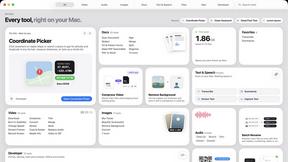
96 private Mac tools in one app: compress video, sign PDFs, remove backgrounds, transcribe. Offline, no account, pay once.
Tiny Desk AI
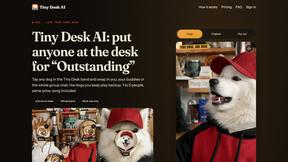
Put yourself or your friends in the viral Outstanding Tiny Desk video. Swap any of the 5 band members, song included. $9.98 for 1 to 5 people.
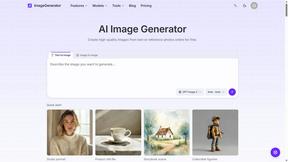
ImageGenerator
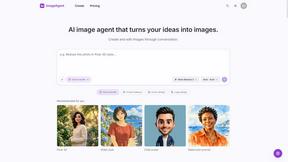
Create and edit AI images online with multiple models, text-to-image, image-to-image, background removal, and upscaling.
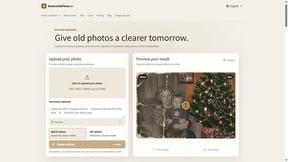
RestoreOldPhoto
Restore old photos with RestoreOldPhoto.ai: repair scratches, creases and fading, sharpen faces and details, and optionally colorize family memories.
GenX
All-in-one AI workspace to generate images, videos, and audio with multiple leading AI models.
AiAgeFilter
Free AI age filter: upload an adult portrait, add 10-40 years, meet your older self. No app needed.

AppIconGenerator
Generate iOS and Android app icons from any image. Preview and export all platform sizes for free.

AI Rap Video Maker
Turn a photo into a rap performance — a silent stage clip or an original 10–15s rap video with your own lyrics, beat style and voice direction.

Dola AI
Create AI videos from text or images with Dola AI. Free starter credits, multiple video models, instant downloads, plus AI image generation.
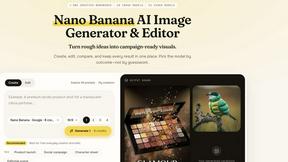
Nano AI
Create and edit AI images, generate videos, and compare models in one creative workbench.
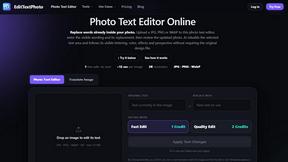
EditTextPhoto
AI-powered image text editor to edit, replace, fix, or translate text in images while preserving the original font, color, size, and style.
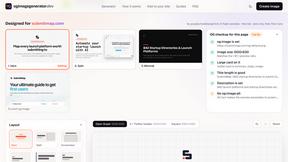
ogimagegenerator.dev
Paste a URL and AI designs on-brand Open Graph images from your page's colours, fonts and logo. Free, no sign-up.

AI Clothes Changer
Free AI clothes changer online. Swap outfits and try on clothes from a photo in minutes — create a free account to start, no card required.

FreeVideoGenerator
Free AI video generator: turn text prompts and photos into video clips with Sora 2, Veo 3.1, Wan and more. Free starter credits, no watermark download

99x Prompts | 50k+ AI Prompts
Discover 50,000+ ready-to-use AI prompts for text, image, and video generation. Save time and create better results with AI.
About Square Face Generator Alternatives
Square Face Generator is a free, browser-based avatar creation tool that falls within the image generation and photo editing category. It draws inspiration from classic Japanese Flash doll makers and the popular Picrew platform, offering users a nostalgic yet modern way to build unique, square-faced characters. Users commonly look for alternatives due to a variety of needs, such as seeking different art styles, wanting more or fewer customization categories, requiring offline functionality, or needing a tool that integrates with specific software. Others may find the square face aesthetic too limiting for their project or simply wish to explore different creative constraints and asset libraries. When choosing an alternative, it is important to consider the depth of customization available, including the number of categories and individual parts. You should also evaluate the privacy and security of the tool, especially whether all processing happens locally in the browser or on external servers. Compatibility with your device is another key factor, as some tools may not be touch-friendly or responsive on mobile and tablet. Finally, consider the licensing of the generated images, as some creators may require attribution or restrict commercial use, while others offer complete freedom with the final output.
FAQs about Square Face Generator Alternatives
What is Square Face Generator?
Square Face Generator is a free, browser-based avatar maker inspired by classic Japanese Flash doll makers and Picrew. It focuses on creating charming characters with square-shaped faces, offering over 200 customizable parts across 12 categories. All rendering happens locally in your browser, meaning no image data is uploaded or leaves your device.
Who is Square Face Generator for?
Square Face Generator is designed for anyone who enjoys creating unique, stylized avatars, including artists, roleplayers, social media users, and fans of nostalgic doll maker games. It is particularly appealing to users who prefer a simple, square-faced aesthetic and want a tool that works seamlessly on desktop, tablet, and phone without requiring an account or software installation.
Is Square Face Generator free?
Yes, Square Face Generator is completely free to use. There are no hidden fees, subscriptions, or paywalls for accessing any of the 12 customization categories or 200+ parts. The tool operates entirely in your browser with no server-side processing, so you can create and export your avatars without any cost or registration.
What are the main features of Square Face Generator?
The main features include 12 customization categories such as skin tones, bangs, side hair, eyes, nose, mouth, brows, lashes, blush, glasses, hats, and outfits. It offers over 200 individual parts that can be combined to create millions of unique avatars. The tool is responsive and touch-friendly, working equally well on desktop, tablet, and phone, and all image processing is done locally in your browser for maximum privacy.